|
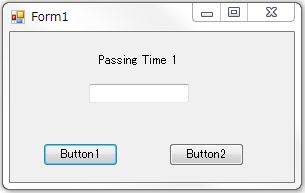
ビープ音プログラムの代わりに、キーコード送りプログラム(ネットのTips参照した)を書き込んでサウンドソフトがON・OFFするか検証。 サウンドソフトを調べると ON・OFF するためには Ctrl+Spase・Sift+Space を送らねばならない。 キーコードをどのように書いたらよいか msdnやネットのTips を探し、数日試したがソフトは動かず困った。 CtrlやShiftの記述方法(^、+)は載っているがSpaceが見つからない。 試しにSpaceを ” ”として ”^ ” を記述してみたところソフトが動いた。 動いた時はウレシカッタですね、プログラム開発の面白さはこんなところにありますかね・・・・。 これでヤット開発の目途がつきました。
|
|
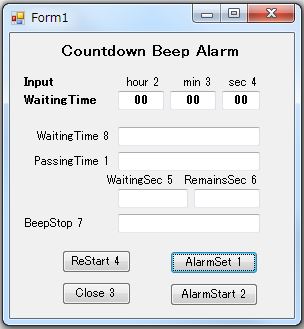
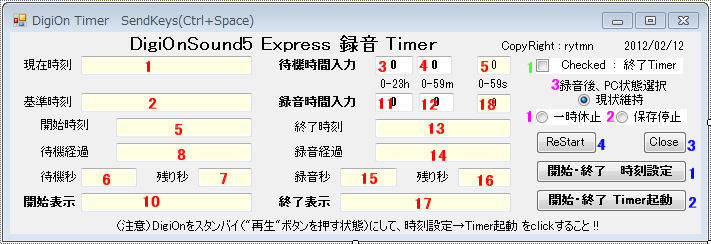
設定時間のための「現在時刻表示・基準時刻表示、2個のタイマー機能」、ON・OFFのため「待機時間入力、録音時間入力、2個のタイマー機能」、待ち時間計算表示のための「基準時時刻表示、開始時刻表示、待機経過表示、待機秒、残り秒、開始表示」、録音時間計算のための「終了時刻表示、録音経過表示、録音秒、残り秒、終了表示」、これを4個のクリックボタン(開始終了時刻設定、開始終了タイマー起動、Close、ReStart)で操作するプログラムを完成させる。 これに下記機能を追加する。
|
|
a. 終了タイマー : 録音終了時のみの停止が選択出来る
|
|
b. 現状維持・一時休止・保存停止 : 録音終了後、PC状態選択(これが無いと
|
|
録音終了まで起きていなければならない。 録音中寝られない。)
|
|
c. 誤操作警報機能
|
|
d. 録音中他の操作を行うとサウンドソフトのアクティベトが消えることがあり、録音
|
|
に失敗する。 強制的にソフトをアクティベイトさせる。
|
|
.
|
|
DigiOnSound5 Express 録音 Timer
|
|
|
|
プロジェクトの作成と操作
|
|
1. 新しいプロジェクトを開く
|
|
2. Form1ウインドウに上図に習い下記配置する。
|
|
TextBox 1~18(9:無) CheckBox 1
|
|
Button 1~4 RadioButton 3
|
|
上図の順番に並べて、各ツールにLabelツール
|
|
で名称を書く。
|
|
3. Timer1~4、ToolTip1,2をForm1にDrug&Dropする。
|
|
4. RadioButtonのプロパティのToolTipに下記記入。
|
|
(一時休止、保存停止の説明をバルーン表示する)
|
|
RadioButton1/ToolTip1:PCを一時休止(スリープ)
|
|
にする
|
|
RadioButton2/ToolTip2:メモリ情報を保存した
|
|
後、PCの電源を切る
|
|
5. イベント・プロシージャ(EP)を次の順番に作成
|
|
Form1、Timer1,2,3、TextBox3,4,9,11,12,18→
|
|
→Button1,2、Timer4、Button3,4→
|
|
→CheckBox1、RadioButton1,2,3
|
|
6. Form1コードを開き 各EPに 青コード をコピー
|
|
または記載する。
|
|
.
|
|
|
7. デバッグ開始IconをCLすると、Form1と同じ
|
|
プログラム実行画面が出る。
|
|
8. 待機時間・録音時間を入力する。 実行画面の
|
|
9. 時刻設定をCLすると基準時刻が停止、開始時刻・
|
|
終了時刻と待機秒・録音秒が表示される。 次に
|
|
10.Timer起動をCLすると待機経過・残り秒が表示さ
|
|
れる。 残り秒=0となった時、キーコードが送ら
|
|
れ、開始表示に表示され、録音タイマーが起動
|
|
する。
|
|
11.録音タイマー起動により録音経過・残り秒が表示
|
|
される。 残り秒=0となった時、キーコードが送ら
|
|
れ終了表示に表示され、録音が停止する。
|
|
|
|
12.CheckBoxにチェックを入れた場合は終了タイマー
|
|
となる。
|
|
13.RadioButtonの一時休止または保存停止を選択し
|
|
た場合は録音終了後のPCはそれぞれの状態で
|
|
停止する。
|
| . |
|
|
全プログラム・コード
|
Public Class Form1
----------
Private Sub Form1_Load(ByVal sender As
System.Object, ByVal e As System.EventArgs) Handles MyBase.Load
'現在・設定時刻の書式を指定
Me.TextBox1.Text = Format(Date.Now, "yyyy/MM/dd
HH:mm:ss")
Me.TextBox2.Text = Format(Date.Now, "yyyy/MM/dd
HH:mm:ss")
'インターバル(ms)
Me.Timer1.Interval = 1000
Me.Timer2.Interval = 1000
'タイマーON
Me.Timer1.Start()
Me.Timer2.Start()
End Sub
----------
Private Sub Timer1_Tick(ByVal sender As
System.Object, ByVal e As System.EventArgs) Handles Timer1.Tick
'現在時刻を表示
Me.TextBox1.Text = Format(Date.Now, "yyyy/MM/dd
HH:mm:ss")
End Sub
----------
Private Sub Timer2_Tick(ByVal sender As
System.Object, ByVal e As System.EventArgs) Handles Timer2.Tick
'設定時刻を表示
Me.TextBox2.Text = Format(Date.Now, "yyyy/MM/dd
HH:mm:ss")
End Sub
----------
'Beep宣言(周波数・秒数)
Public Declare Function Beep Lib "kernel32" (ByVal dwFreq As Long, ByVal dwDuration As Long) As Long
'Console.Beep(262, 400) ' ド
'Console.Beep(294, 400) ' レ
'Console.Beep(330, 400) ' ミ
'Console.Beep(349, 400) ' ファ
'Console.Beep(392, 400) ' ソ
'Console.Beep(440, 400) ' ラ
'Console.Beep(494, 400) ' シ
'Console.Beep(523, 400) ' ド
Private Sub Timer3_Tick(ByVal sender As
System.Object, ByVal e As System.EventArgs) Handles Timer3.Tick
'待ち時間表示
Static iSec, iSec0 As Integer '秒
Static iMin As Integer '分
Static iHour As Integer '時
'MsgBox(iMin)
'終了タイマーの選択
If CheckBox1.Checked = True Then GoTo label
iSec0 = iSec0 + 1
'1秒進める 経過秒
iSec = iSec + 1
'1秒進める 表示秒
If iSec >= 60 Then '60秒=1分
iMin = iMin + 1
iSec = 0
If iMin >= 60 Then '60分=1時間
iHour = iHour + 1
iMin = 0
End If
End If
'待ち経過 書式を指定
Me.TextBox8.Text = Format(iHour, "00") & ":" & _
Format(iMin, "00") & ":" & _
Format(iSec, "00")
'待ち残り時間表示
Dim TQ As Integer
TQ = Me.TextBox6.Text
Me.TextBox7.Text = Format(TQ - iSec0, "000000")
'録音開始 Beep & KeyCode 送り (待ち秒と経過秒が一致した時)
If TQ = iSec0 Then
'サウンドソフトのactivate
Dim aaaaID As Integer
aaaaID = Shell("C:\Program
Files\DigiOn\DigiOnSound5 Express\Bin\DoSound5E.exe")
'AppActivate(aaaaID)
'KeyCode 送り
SendKeys.SendWait("^ ")
Me.TextBox10.Text = "開始
SendKeys(Ctrl+Space)"
Console.Beep(330, 1000)
'トライした KeyCode の残骸
'SendKeys.SendWait("{^}{vbKeySpace}")
'SendKeys.Send("^{SPACE}")
'SendKeys.SendWait("vbKeyControl,vbKeySpace")
'System.Threading.Thread.Sleep(2000)
Label:
Me.Timer4.Interval = 1000
Me.Timer4.Start()
Me.Timer3.Stop()
End If
End Sub
----------
Private Sub TextBox3_TextChanged(ByVal sender As
System.Object, ByVal e As System.EventArgs) Handles TextBox3.TextChanged
Dim H3 As String = Me.TextBox3.Text '待ち時間入力
'MsgBox(Me.TextBox3.Text)
End Sub
----------
Private Sub TextBox4_TextChanged(ByVal sender As
System.Object, ByVal e As System.EventArgs) Handles TextBox4.TextChanged
Dim S4 As String = Me.TextBox4.Text '待ち分入力
'MsgBox(Me.TextBox4.Text)
End Sub
----------
Private Sub TextBox9_TextChanged(ByVal sender As
System.Object, ByVal e As System.EventArgs) Handles TextBox9.TextChanged
Dim S9 As String = Me.TextBox9.Text '待ち秒入力
End Sub
----------
Private Sub TextBox11_TextChanged(ByVal sender As
System.Object, ByVal e As System.EventArgs) Handles TextBox11.TextChanged
Dim H11 As String = Me.TextBox11.Text '録音時間入力
End Sub
----------
Private Sub TextBox12_TextChanged(ByVal sender As
System.Object, ByVal e As System.EventArgs) Handles TextBox12.TextChanged
Dim S12 As String = Me.TextBox12.Text '録音分入力
End Sub
----------
Private Sub TextBox18_TextChanged(ByVal sender As
System.Object, ByVal e As System.EventArgs) Handles TextBox18.TextChanged
Dim S18 As String = Me.TextBox18.Text '録音秒入力
End Sub
----------
Private Sub Button1_Click(ByVal sender As
System.Object, ByVal e As System.EventArgs) Handles Button1.Click
'誤操作警報のため 待ち、録音時間入力読込
Dim H33 As String = Val(Me.TextBox3.Text)
Dim M44 As String = Val(Me.TextBox4.Text)
Dim S99 As String = Val(Me.TextBox9.Text)
Dim H111 As String = Val(Me.TextBox11.Text)
Dim M122 As String = Val(Me.TextBox12.Text)
Dim S188 As String = Val(Me.TextBox18.Text)
'誤操作警報
If CheckBox1.Checked = False And H33 = 0 And M44 = 0 And S99 = 0 And H111 = 0 And M122 = 0 And
S188 = 0 Then
MsgBox("A:待機時間 と 録音時間 を入力して" + vbCrLf + "時刻設定 を押すこと !!")
Application.Restart()
End If
If CheckBox1.Checked = False And H111 = 0 And M122 = 0 And S188 = 0 Then
MsgBox("B:待機時間 と 録音時間 を入力して" + vbCrLf + "時刻設定 を押すこと !!")
Application.Restart()
End If
If CheckBox1.Checked = True And H111 = 0 And M122 = 0 And S188 = 0 Then
MsgBox("C:録音時間 を入力して" + vbCrLf + "時刻設定 を押すこと !!")
Application.Restart()
End If
'基準時刻タイマー停止
Me.Timer2.Stop()
'起動時刻の表示(基準時刻に待ち時間を加算)
Dim H3 As String = Me.TextBox3.Text
Dim M4 As String = Me.TextBox4.Text
Dim S9 As String = Me.TextBox9.Text
Dim startTime As DateTime = DateTime.Parse(Me.TextBox2.Text)
'MsgBox(startTime)
startTime = startTime.AddHours(H3)
startTime = startTime.AddMinutes(M4)
startTime = startTime.AddSeconds(S9)
'MsgBox(startTime)
Me.TextBox5.Text = startTime
'待ち合計秒表示
Dim Q As Integer
Q = 0
Q = H3 * 60 * 60 + M4 * 60 + S9
'MsgBox(Q)
Me.TextBox6.Text = Q
'--------------------------------------------
'終了時刻の表示(開始時刻に録音時間を加算)
Dim H11 As String = Me.TextBox11.Text
Dim M12 As String = Me.TextBox12.Text
Dim S18 As String = Me.TextBox18.Text
Dim endTime As DateTime = DateTime.Parse(Me.TextBox5.Text)
'MsgBox(endTime)
endTime = endTime.AddHours(H11)
endTime = endTime.AddMinutes(M12)
endTime = endTime.AddSeconds(S18)
Me.TextBox13.Text = endTime
'録音合計秒表示
Dim R As Integer
R = 0
R = H11 * 60 * 60 + M12 * 60 + S18
'MsgBox(Q)
Me.TextBox15.Text = R
End Sub
----------
Private Sub Button2_Click(ByVal sender As
System.Object, ByVal e As System.EventArgs) Handles Button2.Click
'誤操作警報のため 待ち、録音時間入力読込
Dim H33 As String = Val(Me.TextBox3.Text)
Dim M44 As String = Val(Me.TextBox4.Text)
Dim S99 As String = Val(Me.TextBox9.Text)
Dim H111 As String = Val(Me.TextBox11.Text)
Dim M122 As String = Val(Me.TextBox12.Text)
Dim S188 As String = Val(Me.TextBox18.Text)
'誤操作警報
If CheckBox1.Checked = False And H33 = 0 And M44 = 0 And S99 = 0 And H111 = 0 And M122 = 0
And
S188 = 0 Then
MsgBox("A:待機時間 と 録音時間 を入力して" + vbCrLf + "時刻設定→Timer起動 を押すこと !!")
Application.Restart()
End If
If CheckBox1.Checked = False And H111 = 0 And M122 = 0 And S188 = 0 Then
MsgBox("B:待機時間 と 録音時間 を入力して" + vbCrLf + "時刻設定→Timer起動 を押すこと !!")
Application.Restart()
End If
If CheckBox1.Checked = True And H111 = 0 And M122 = 0 And S188 = 0 Then
MsgBox("C:録音時間 を入力して" + vbCrLf + "時刻設定→Timer起動 を押すこと !!")
Application.Restart()
End If
'待ち時間タイマー起動
Me.Timer3.Interval = 1000
Me.Timer3.Start()
'---------------------------------
'Me.Timer4.Interval = 1000
'Me.Timer4.Start()
End Sub
----------
Private Sub Timer4_Tick(ByVal sender As
System.Object, ByVal e As System.EventArgs) Handles Timer4.Tick
'録音時間表示
Static oSec, oSec0 As Integer '秒
Static oMin As Integer '分
Static oHour As Integer '時
oSec0 = oSec0 + 1 '1秒進める 経過秒
oSec = oSec + 1 '1秒進める 表示秒
If oSec >= 60 Then '60秒=1分
oMin = oMin + 1
oSec = 0
If oMin >= 60 Then '60分=1時間
oHour = oHour + 1
oMin = 0
End If
End If
'録音経過 書式を指定
Me.TextBox14.Text = Format(oHour, "00") & ":" & _
Format(oMin, "00") & ":" & _
Format(oSec, "00")
'録音残り時間表示
Dim TS As Integer
TS = Me.TextBox15.Text
'MsgBox(S)
Me.TextBox16.Text = Format(TS - oSec0, "000000")
'録音完了 Beep & KeyCode 送り (待ち秒と経過秒が一致した時)
If TS = oSec0 Then
'サウンドソフトのactivate
Dim aaaaID As Integer 'アプリのactivate
aaaaID = Shell("C:\Program
Files\DigiOn\DigiOnSound5 Express\Bin\DoSound5E.exe")
'AppActivate(aaaaID)
'KeyCode 送り
SendKeys.SendWait("^ ")
Me.TextBox17.Text = "終了
SendKeys(Ctrl+Space)"
Console.Beep(660, 1000)
'トライした KeyCode 残骸
'SendKeys.SendWait("{^}{vbKeySpace}")
'SendKeys.Send("^{SPACE}")
'SendKeys.SendWait("vbKeyControl,vbKeySpace")
System.Threading.Thread.Sleep(2000) '2秒待ち
Me.Timer4.Stop()
'録音完了後のPC状態 選択
If RadioButton1.Checked = True Then
Application.SetSuspendState(PowerState.Suspend, False, False) '一時休止状態にする
End If
If RadioButton2.Checked = True Then
Application.SetSuspendState(PowerState.Hibernate, False, False) '保存停止状態にする
End If
End If
End Sub
----------
Private Sub Button3_Click(ByVal sender As
System.Object, ByVal e As System.EventArgs) Handles Button3.Click
End '録音タイマー 終了
End Sub
----------
Private Sub Button4_Click_1(ByVal sender As
System.Object, ByVal e As System.EventArgs) Handles Button4.Click
Application.Restart() '録音タイマー 再起動
End Sub
----------
Private Sub CheckBox1_CheckedChanged(ByVal sender As
System.Object, ByVal e As System.EventArgs) Handles CheckBox1.CheckedChanged
End Sub
----------
Private Sub RadioButton1_CheckedChanged(ByVal sender As
System.Object, ByVal e As System.EventArgs) Handles RadioButton1.CheckedChanged
'一時休止
End Sub
----------
Private Sub RadioButton2_CheckedChanged(ByVal sender As
System.Object, ByVal e As System.EventArgs) Handles RadioButton2.CheckedChanged
'保存停止
End Sub
----------
Private Sub RadioButton3_CheckedChanged(ByVal sender As
System.Object, ByVal e As System.EventArgs) Handles RadioButton3.CheckedChanged
'現状維持(ダミーボタン)
End Sub
----------
End Class
|
|
|
.
|
|
.
|
|
3.汎用サウンドソフト用録音プログラムへの変更(カウントダウン方式)
|
|
特定サウンドソフト用(DigiOnSound5 Express)として作成したものを、他のサウンドソフト(特に想定したソフトはないが・・・。)にも利用できないかと改良する。 改良点は
|
|
a. ソフトの キーコード・パス の 入力、保存、読込(異なるソフトに必要)
|
|
b. 待機時間入力、録音時間入をテキスト入力からコンボボックス入力に変更
|
|
(入力の容易化)
|
|
c. ウインドウにおいて窓の切替でなく、拡大縮小により必要操作画面を作るり、
|
|
. 通常は縮小画面で操作する。(一画面で全ての操作が可能)
|
|
.
|
|
On/Off Timer for Sound
Recording Soft |
| ウインドウ通常表示 |
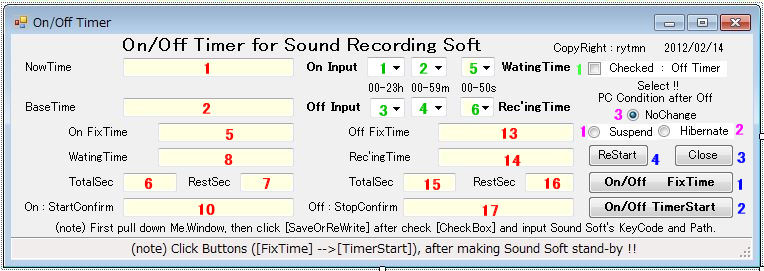 |
 |
| ウインドウの隠れた部分のツール(下への拡大部) |
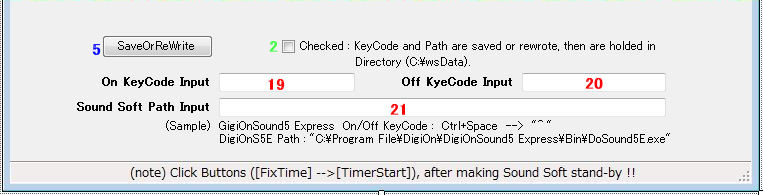 |
| (キーコード・ソフトのパス の 入力、保存、変更 に使用) |
|
|
プロジェクトの作成と操作 |
| ※ 2.特定サウンドソフト用録音プログラム(カウント |
| ダウン方式)と異なる部分について記述する。 |
| . |
| 1. 新しいプロジェクトを開く
|
| 2. 一部TextBoxをComboBoxに変更 |
| TextBox3,4,5 → ComboBox1,2,5 |
| TextBox11,12,18 → ComboBox3,4,6 |
| StatusStrip1をForm1にDrug&Dropしてプロパティ |
| のTextに(note)Click・・・以下の文章を書き込む。 |
| ウインドウを下に拡大して新ツール配置 |
| TextBox19,20,21 CheckBox2 Button5 |
| Labelで上図を参照して書きこむ。 終了後は拡大 |
| を元に戻す。 |
| 3. ToolTipの削除(英語表記で意味分かるため) |
| 4. RadioButton/ToolTipへの書込みなし。 |
|
5. イベント・プロシージャ(EP)を6個 新規追加 |
| StatusStrip1 TextBox19,20,21 |
| CheckBox2 Button5 |
| . |
|
| 6. Form1コードを開き 各追加EPに ピンクコード を |
| コピーまたは記載する。 |
| 先頭にあるForm1のEPに ピンクのCombBox入力 |
| をコピーまたは記載する。 |
| その他中段のEPにおいて TextBox読込を |
| ComboBox読込に修正する。(ピンクコード部) |
|
7. デバッグ開始IconをCLすると、Form1と同じ
|
|
プログラム実行画面が出る。
|
| 最初にウインドウを下に拡大して、ソフトのキーコー |
| ドとパス名を入力、CheckBoxをチェックし、 |
| SaveOrReWriteボタンをCLしてHDDに保存する。 |
| 変更の場合も同様の手順である。 |
| 8. 待機時間・録音時間をCombBoxから入力する。 |
|
| 9.~13. 同様のため省略 |
| . |
| . |
| . |
| . |
|
|
全プログラム・コード
|
Public Class Form1
----------
Private Sub Form1_Load(ByVal sender As
System.Object, ByVal e As System.EventArgs) Handles MyBase.Load
'CombBox入力
With ComboBox1
.Items.Add("00")
.Items.Add("01")
.Items.Add("02")
.Items.Add("03")
.Items.Add("04")
.Items.Add("05")
.Items.Add("06")
.Items.Add("07")
.Items.Add("08")
.Items.Add("09")
.Items.Add("10")
.Items.Add("11")
.Items.Add("12")
.Items.Add("13")
.Items.Add("14")
.Items.Add("15")
.Items.Add("16")
.Items.Add("17")
.Items.Add("18")
.Items.Add("19")
.Items.Add("20")
.Items.Add("21")
.Items.Add("22")
.Items.Add("23")
'.BackColor = Color.PowderBlue
'.Font = New Font("MS Pゴシック", 12)
.Text = "00" 'テキストボックスに最初に表示して置く項目を設定
End With
With ComboBox2
.Items.Add("00")
.Items.Add("01")
.Items.Add("02")
.Items.Add("03")
.Items.Add("04")
.Items.Add("05")
.Items.Add("06")
.Items.Add("07")
.Items.Add("08")
.Items.Add("09")
.Items.Add("10")
.Items.Add("11")
.Items.Add("12")
.Items.Add("13")
.Items.Add("14")
.Items.Add("15")
.Items.Add("16")
.Items.Add("17")
.Items.Add("18")
.Items.Add("19")
.Items.Add("20")
.Items.Add("21")
.Items.Add("22")
.Items.Add("23")
.Items.Add("24")
.Items.Add("25")
.Items.Add("26")
.Items.Add("27")
.Items.Add("28")
.Items.Add("29")
.Items.Add("30")
.Items.Add("31")
.Items.Add("32")
.Items.Add("33")
.Items.Add("34")
.Items.Add("35")
.Items.Add("36")
.Items.Add("37")
.Items.Add("38")
.Items.Add("39")
.Items.Add("40")
.Items.Add("41")
.Items.Add("42")
.Items.Add("43")
.Items.Add("44")
.Items.Add("45")
.Items.Add("46")
.Items.Add("47")
.Items.Add("48")
.Items.Add("49")
.Items.Add("50")
.Items.Add("51")
.Items.Add("52")
.Items.Add("53")
.Items.Add("54")
.Items.Add("55")
.Items.Add("56")
.Items.Add("57")
.Items.Add("58")
.Items.Add("59")
'.BackColor = Color.PowderBlue
'.Font = New Font("MS Pゴシック", 12)
.Text = "00" 'テキストボックスに最初に表示して置く項目を設定
End With
With ComboBox3
.Items.Add("00")
.Items.Add("01")
.Items.Add("02")
.Items.Add("03")
.Items.Add("04")
.Items.Add("05")
.Items.Add("06")
.Items.Add("07")
.Items.Add("08")
.Items.Add("09")
.Items.Add("10")
.Items.Add("11")
.Items.Add("12")
.Items.Add("13")
.Items.Add("14")
.Items.Add("15")
.Items.Add("16")
.Items.Add("17")
.Items.Add("18")
.Items.Add("19")
.Items.Add("20")
.Items.Add("21")
.Items.Add("22")
.Items.Add("23")
'.BackColor = Color.PowderBlue
'.Font = New Font("MS Pゴシック", 12)
.Text = "00" 'テキストボックスに最初に表示して置く項目を設定
End With
With ComboBox4
.Items.Add("00")
.Items.Add("01")
.Items.Add("02")
.Items.Add("03")
.Items.Add("04")
.Items.Add("05")
.Items.Add("06")
.Items.Add("07")
.Items.Add("08")
.Items.Add("09")
.Items.Add("10")
.Items.Add("11")
.Items.Add("12")
.Items.Add("13")
.Items.Add("14")
.Items.Add("15")
.Items.Add("16")
.Items.Add("17")
.Items.Add("18")
.Items.Add("19")
.Items.Add("20")
.Items.Add("21")
.Items.Add("22")
.Items.Add("23")
.Items.Add("24")
.Items.Add("25")
.Items.Add("26")
.Items.Add("27")
.Items.Add("28")
.Items.Add("29")
.Items.Add("30")
.Items.Add("31")
.Items.Add("32")
.Items.Add("33")
.Items.Add("34")
.Items.Add("35")
.Items.Add("36")
.Items.Add("37")
.Items.Add("38")
.Items.Add("39")
.Items.Add("40")
.Items.Add("41")
.Items.Add("42")
.Items.Add("43")
.Items.Add("44")
.Items.Add("45")
.Items.Add("46")
.Items.Add("47")
.Items.Add("48")
.Items.Add("49")
.Items.Add("50")
.Items.Add("51")
.Items.Add("52")
.Items.Add("53")
.Items.Add("54")
.Items.Add("55")
.Items.Add("56")
.Items.Add("57")
.Items.Add("58")
.Items.Add("59")
'.BackColor = Color.PowderBlue
'.Font = New Font("MS Pゴシック", 12)
.Text = "00" 'テキストボックスに最初に表示して置く項目を設定
End With
With ComboBox5
.Items.Add("00")
.Items.Add("10")
.Items.Add("20")
.Items.Add("30")
.Items.Add("40")
.Items.Add("50")
'.BackColor = Color.PowderBlue
'.Font = New Font("MS Pゴシック", 12)
.Text = "00" 'テキストボックスに最初に表示して置く項目を設定
End With
With ComboBox6
.Items.Add("00")
.Items.Add("10")
.Items.Add("20")
.Items.Add("30")
.Items.Add("40")
.Items.Add("50")
'.BackColor = Color.PowderBlue
'.Font = New Font("MS Pゴシック", 12)
.Text = "00" 'テキストボックスに最初に表示して置く項目を設定
End With
'現在・設定時刻の書式を指定
Me.TextBox1.Text = Format(Date.Now, "yyyy/MM/dd
HH:mm:ss")
Me.TextBox2.Text = Format(Date.Now, "yyyy/MM/dd
HH:mm:ss")
'インターバル(ms)
Me.Timer1.Interval = 1000
Me.Timer2.Interval = 1000
'タイマーON
Me.Timer1.Start()
Me.Timer2.Start()
End Sub
----------
Private Sub Timer1_Tick(ByVal sender As
System.Object, ByVal e As System.EventArgs) Handles Timer1.Tick
'現在時刻を表示
Me.TextBox1.Text = Format(Date.Now, "yyyy/MM/dd
HH:mm:ss")
End Sub
----------
Private Sub Timer2_Tick(ByVal sender As
System.Object, ByVal e As System.EventArgs) Handles Timer2.Tick
'設定時刻を表示
Me.TextBox2.Text = Format(Date.Now, "yyyy/MM/dd
HH:mm:ss")
End Sub
----------
'Beep宣言(周波数・秒数)
Public Declare Function Beep Lib "kernel32" (ByVal dwFreq As Long, ByVal dwDuration As Long) As Long
'Console.Beep(262, 400) ' ド
'Console.Beep(294, 400) ' レ
'Console.Beep(330, 400) ' ミ
'Console.Beep(349, 400) ' ファ
'Console.Beep(392, 400) ' ソ
'Console.Beep(440, 400) ' ラ
'Console.Beep(494, 400) ' シ
'Console.Beep(523, 400) ' ド
Private Sub Timer3_Tick(ByVal sender As
System.Object, ByVal e As System.EventArgs) Handles Timer3.Tick
'待ち時間表示
Static iSec, iSec0 As Integer '秒
Static iMin As Integer '分
Static iHour As Integer '時
'MsgBox(iMin)
'終了タイマーの選択
If CheckBox1.Checked = True Then GoTo label
iSec0 = iSec0 + 1
'1秒進める 経過秒
iSec = iSec + 1
'1秒進める 表示秒
If iSec >= 60 Then '60秒=1分
iMin = iMin + 1
iSec = 0
If iMin >= 60 Then '60分=1時間
iHour = iHour + 1
iMin = 0
End If
End If
'待ち経過 書式を指定
Me.TextBox8.Text = Format(iHour, "00") & ":" & _
Format(iMin, "00") & ":" & _
Format(iSec, "00")
'待ち残り時間表示
Dim TQ As Integer
TQ = Me.TextBox6.Text
Me.TextBox7.Text = Format(TQ - iSec0, "000000")
'録音開始 Beep & KeyCode 送り (待ち秒と経過秒が一致した時)
If TQ = iSec0 Then
'サウンドソフトのactivate
Dim aaaaID As Integer
aaaaID = Shell("C:\Program
Files\DigiOn\DigiOnSound5 Express\Bin\DoSound5E.exe")
'AppActivate(aaaaID)
'KeyCode 送り
SendKeys.SendWait("^ ")
Me.TextBox10.Text = "開始
SendKeys(Ctrl+Space)"
Console.Beep(330, 1000)
'トライした KeyCode の残骸
'SendKeys.SendWait("{^}{vbKeySpace}")
'SendKeys.Send("^{SPACE}")
'SendKeys.SendWait("vbKeyControl,vbKeySpace")
'System.Threading.Thread.Sleep(2000)
Label:
Me.Timer4.Interval = 1000
Me.Timer4.Start()
Me.Timer3.Stop()
End If
End Sub
----------以下入力変更のため不要
'Private Sub TextBox3_TextChanged(ByVal sender As
System.Object, ByVal e As System.EventArgs) 'Handles TextBox3.TextChanged
' Dim H3 As String = Me.TextBox3.Text '待ち時間入力
'MsgBox(Me.TextBox3.Text)
'End Sub
----------
'Private Sub TextBox4_TextChanged(ByVal sender As
System.Object, ByVal e As System.EventArgs) 'Handles TextBox4.TextChanged
'Dim S4 As String = Me.TextBox4.Text '待ち分入力
'MsgBox(Me.TextBox4.Text)
'End Sub
----------
'Private Sub TextBox9_TextChanged(ByVal sender As
System.Object, ByVal e As System.EventArgs) 'Handles TextBox9.TextChanged
'Dim S9 As String = Me.TextBox9.Text '待ち秒入力
'End Sub
----------
'Private Sub TextBox11_TextChanged(ByVal sender As
System.Object, ByVal e As System.EventArgs) 'Handles TextBox11.TextChanged
'Dim H11 As String = Me.TextBox11.Text '録音時間入力
'End Sub
----------
'Private Sub TextBox12_TextChanged(ByVal sender As
System.Object, ByVal e As System.EventArgs) 'Handles TextBox12.TextChanged
'Dim S12 As String = Me.TextBox12.Text '録音分入力
'End Sub
----------
'Private Sub TextBox18_TextChanged(ByVal sender As
System.Object, ByVal e As System.EventArgs) 'Handles TextBox18.TextChanged
'Dim S18 As String = Me.TextBox18.Text '録音秒入力
'End Sub
----------以上入力変更のため不要
Private Sub Button1_Click(ByVal sender As
System.Object, ByVal e As System.EventArgs) Handles Button1.Click
'保存data キーコード&パス名 の HDDから読込とTextBoxへの書出
Dim StartupPath, FullPath01, FullPath02, FullPath03 As String
StartupPath = "C:\wsData"
FullPath01 = (StartupPath & "\WSdata01.txt")
FullPath02 = (StartupPath & "\WSdata02.txt")
FullPath03 = (StartupPath & "\WSdata03.txt")
TextBox19.Text = IO.File.ReadAllText(FullPath01,
System.Text.Encoding.GetEncoding("Shift-JIS"))
TextBox20.Text = IO.File.ReadAllText(FullPath02,
System.Text.Encoding.GetEncoding("Shift-JIS"))
TextBox21.Text = IO.File.ReadAllText(FullPath03,
System.Text.Encoding.GetEncoding("Shift-JIS"))
'誤操作警報のため 待ち、録音時間入力読込
Dim H33 As String = Val(ComboBox1.SelectedItem) 'Val(Me.TextBox3.Text)
Dim M44 As String = Val(ComboBox2.SelectedItem) 'Val(Me.TextBox4.Text)
Dim S99 As String = Val(ComboBox5.SelectedItem) 'Val(Me.TextBox9.Text)
Dim H111 As String = Val(ComboBox3.SelectedItem) 'Val(Me.TextBox11.Text)
Dim M122 As String = Val(ComboBox4.SelectedItem) 'Val(Me.TextBox12.Text)
Dim S188 As String = Val(ComboBox6.SelectedItem)
'Val(Me.TextBox18.Text)
'誤操作警報
If CheckBox1.Checked = False And H33 = 0 And M44 = 0 And S99 = 0 And H111 = 0 And M122 = 0
And
S188 = 0 Then
MsgBox("A:待機時間 と 録音時間 を入力して" + vbCrLf + "時刻設定 を押すこと !!")
Application.Restart()
End If
If CheckBox1.Checked = False And H111 = 0 And M122 = 0 And S188 = 0 Then
MsgBox("B:待機時間 と 録音時間 を入力して" + vbCrLf + "時刻設定 を押すこと !!")
Application.Restart()
End If
If CheckBox1.Checked = True And H111 = 0 And M122 = 0 And S188 = 0 Then
MsgBox("C:録音時間 を入力して" + vbCrLf + "時刻設定 を押すこと !!")
Application.Restart()
End If
'基準時刻タイマー停止
Me.Timer2.Stop()
'起動時刻の表示(基準時刻に待ち時間を加算)
Dim H3 As String =
ComboBox1.SelectedItem 'Me.TextBox3.Text
Dim M4 As String =
ComboBox2.SelectedItem 'Me.TextBox4.Text
Dim S9 As String =
ComboBox5.SelectedItem 'Me.TextBox9.Text
Dim startTime As DateTime = DateTime.Parse(Me.TextBox2.Text)
'MsgBox(startTime)
startTime = startTime.AddHours(H3)
startTime = startTime.AddMinutes(M4)
startTime = startTime.AddSeconds(S9)
'MsgBox(startTime)
Me.TextBox5.Text = startTime
'待ち合計秒表示
Dim Q As Integer
Q = 0
Q = H3 * 60 * 60 + M4 * 60 + S9
'MsgBox(Q)
Me.TextBox6.Text = Q
'--------------------------------------------
'終了時刻の表示(開始時刻に録音時間を加算)
Dim H11 As String =
ComboBox3.SelectedItem 'Me.TextBox11.Text
Dim M12 As String =
ComboBox4.SelectedItem 'Me.TextBox12.Text
Dim S18 As String =
ComboBox6.SelectedItem
'Me.TextBox18.Text
Dim endTime As DateTime = DateTime.Parse(Me.TextBox5.Text)
'MsgBox(endTime)
endTime = endTime.AddHours(H11)
endTime = endTime.AddMinutes(M12)
endTime = endTime.AddSeconds(S18)
Me.TextBox13.Text = endTime
'録音合計秒表示
Dim R As Integer
R = 0
R = H11 * 60 * 60 + M12 * 60 + S18
'MsgBox(Q)
Me.TextBox15.Text = R
End Sub
----------
Private Sub Button2_Click(ByVal sender As
System.Object, ByVal e As System.EventArgs) Handles Button2.Click
'誤操作警報のため 待ち、録音時間入力読込
Dim H33 As String =
Val(ComboBox1.SelectedItem) 'Val(Me.TextBox3.Text)
Dim M44 As String = Val(ComboBox2.SelectedItem) 'Val(Me.TextBox4.Text)
Dim S99 As String = Val(ComboBox5.SelectedItem) 'Val(Me.TextBox9.Text)
Dim H111 As String = Val(ComboBox3.SelectedItem) 'Val(Me.TextBox11.Text)
Dim M122 As String = Val(ComboBox4.SelectedItem) 'Val(Me.TextBox12.Text)
Dim S188 As String = Val(ComboBox6.SelectedItem) 'Val(Me.TextBox18.Text)
'誤操作警報
If CheckBox1.Checked = False And H33 = 0 And M44 = 0 And S99 = 0 And H111 = 0 And M122 = 0
And S188 = 0 Then
MsgBox("A:待機時間 と 録音時間 を入力して" + vbCrLf + "時刻設定→Timer起動 を押すこと !!")
Application.Restart()
End If
If CheckBox1.Checked = False And H111 = 0 And M122 = 0 And S188 = 0 Then
MsgBox("B:待機時間 と 録音時間 を入力して" + vbCrLf + "時刻設定→Timer起動 を押すこと !!")
Application.Restart()
End If
If CheckBox1.Checked = True And H111 = 0 And M122 = 0 And S188 = 0 Then
MsgBox("C:録音時間 を入力して" + vbCrLf + "時刻設定→Timer起動 を押すこと !!")
Application.Restart()
End If
'待ち時間タイマー起動
Me.Timer3.Interval = 1000
Me.Timer3.Start()
'---------------------------------
'Me.Timer4.Interval = 1000
'Me.Timer4.Start()
End Sub
----------
Private Sub Timer4_Tick(ByVal sender As
System.Object, ByVal e As System.EventArgs) Handles Timer4.Tick
'録音時間表示
Static oSec, oSec0 As Integer '秒
Static oMin As Integer '分
Static oHour As Integer '時
oSec0 = oSec0 + 1 '1秒進める 経過秒
oSec = oSec + 1 '1秒進める 表示秒
If oSec >= 60 Then '60秒=1分
oMin = oMin + 1
oSec = 0
If oMin >= 60 Then '60分=1時間
oHour = oHour + 1
oMin = 0
End If
End If
'録音経過 書式を指定
Me.TextBox14.Text = Format(oHour, "00") & ":" & _
Format(oMin, "00") & ":" & _
Format(oSec, "00")
'録音残り時間表示
Dim TS As Integer
TS = Me.TextBox15.Text
'MsgBox(S)
Me.TextBox16.Text = Format(TS - oSec0, "000000")
'録音完了 Beep & KeyCode 送り (待ち秒と経過秒が一致した時)
If TS = oSec0 Then
'サウンドソフトのactivate
Dim aaaaID As Integer 'アプリのactivate
aaaaID = Shell("C:\Program
Files\DigiOn\DigiOnSound5 Express\Bin\DoSound5E.exe")
'AppActivate(aaaaID)
'KeyCode 送り
SendKeys.SendWait("^ ")
Me.TextBox17.Text = "終了
SendKeys(Ctrl+Space)"
Console.Beep(660, 1000)
'トライした KeyCode 残骸
'SendKeys.SendWait("{^}{vbKeySpace}")
'SendKeys.Send("^{SPACE}")
'SendKeys.SendWait("vbKeyControl,vbKeySpace")
System.Threading.Thread.Sleep(2000) '2秒待ち
Me.Timer4.Stop()
'録音完了後のPC状態 選択
If RadioButton1.Checked = True Then
Application.SetSuspendState(PowerState.Suspend, False, False) '一時休止状態にする
End If
If RadioButton2.Checked = True Then
Application.SetSuspendState(PowerState.Hibernate, False, False)
'保存停止状態にする
End If
End If
End Sub
----------
Private Sub Button3_Click(ByVal sender As
System.Object, ByVal e As System.EventArgs) Handles Button3.Click
End '録音タイマー 終了
End Sub
----------
Private Sub Button4_Click_1(ByVal sender As
System.Object, ByVal e As System.EventArgs) Handles Button4.Click
Application.Restart() '録音タイマー 再起動
End Sub
----------
Private Sub CheckBox1_CheckedChanged(ByVal sender As
System.Object, ByVal e As System.EventArgs) Handles CheckBox1.CheckedChanged
End Sub
----------
Private Sub RadioButton1_CheckedChanged(ByVal sender As
System.Object, ByVal e As System.EventArgs) Handles RadioButton1.CheckedChanged
'一時休止
End Sub
----------
Private Sub RadioButton2_CheckedChanged(ByVal sender As
System.Object, ByVal e As System.EventArgs) Handles RadioButton2.CheckedChanged
'保存停止
End Sub
----------
Private Sub RadioButton3_CheckedChanged(ByVal sender As
System.Object, ByVal e As System.EventArgs) Handles RadioButton3.CheckedChanged
'現状維持(ダミーボタン)
End Sub
----------
'新規に 下記 EP(黒字) が追加となる ピンク部 コード 記入
----------
Private Sub ToolStripStatusLabel1_Click(ByVal sender As System.Object, ByVal e As System.EventArgs) Handles ToolStripStatusLabel1.Click
End Sub
----------
Private Sub TextBox19_TextChanged(ByVal sender As System.Object, ByVal e As System.EventArgs) Handles TextBox19.TextChanged
Dim Ton As String = Me.TextBox19.Text 'On KeyCode入力
End Sub
----------
Private Sub TextBox20_TextChanged(ByVal sender As System.Object, ByVal e As System.EventArgs) Handles TextBox20.TextChanged
Dim Toff As String = Me.TextBox20.Text 'Off KeyCode入力
End Sub
----------
Private Sub TextBox21_TextChanged(ByVal sender As System.Object, ByVal e As System.EventArgs) Handles TextBox21.TextChanged
Dim appPath As String = Me.TextBox21.Text
'アプリソフトのPath入力
End Sub
----------
Private Sub CheckBox2_CheckedChanged(ByVal sender As System.Object, ByVal e As System.EventArgs)
Handles CheckBox1.CheckedChanged
End Sub
----------
Private Sub Button5_Click(ByVal sender As System.Object, ByVal e As System.EventArgs) Handles Button5.Click
'TextBox内data の HDDへ保存のためホルダとファイルを作る
Dim StartupPath, FullPath01, FullPath02, FullPath03 As String
StartupPath = "C:\wsData" 'パス名
System.IO.Directory.CreateDirectory(StartupPath) 'ファイル名
FullPath01 = (StartupPath & "\WSdata01.txt")
FullPath02 = (StartupPath & "\WSdata02.txt")
FullPath03 = (StartupPath & "\WSdata03.txt")
'CheckBoxがチェックされたときだけ保存または書換、次の書換までHDDに保存を保つ
If CheckBox2.Checked = True Then
Dim sw01, sw02, sw03 As System.IO.StreamWriter
sw01 = New System.IO.StreamWriter(FullPath01, False,
System.Text.Encoding.GetEncoding("Shift-JIS"))
sw01.Write(TextBox19.Text)
sw01.Close()
sw02 = New System.IO.StreamWriter(FullPath02, False,
System.Text.Encoding.GetEncoding("Shift-JIS"))
sw02.Write(TextBox20.Text)
sw02.Close()
sw03 = New System.IO.StreamWriter(FullPath03, False,
System.Text.Encoding.GetEncoding("Shift-JIS"))
sw03.Write(TextBox21.Text)
sw03.Close()
'保存し、ファイルを閉じた後、CheckBoxからチェックを外す。 dataに保護に必要。
CheckBox2.Checked = False
End If
End Sub
----------
End Class
|
|
|
.
|
|
.
|
|
4.汎用サウンドソフト用録音プログラムへの改良(タイムセット方式)
|
|
カウントダウン方式の録音プログラムをしばらく使用したが、設定時間に対して2~3%の時間の遅れが生じて、数時間待って数時間録音するために、時間設定を遅れ時間を配慮して設定しなければならず面倒臭くなってきた。 これを改善すべく 時刻設定の録音タイマー(タイムセット方式) に大幅改善することにした。
|
|
a. 待機時間入力、録音時間入 を 起動時刻入力、停止時刻入力 に変更。
|
|
b. カレンダー入力画面追加。
|
|
c. ウインドウの表示位置変更
|
|
.
|
| OnOff Timer for Sound
Recording Soft |
| ウインドウ通常表示 |
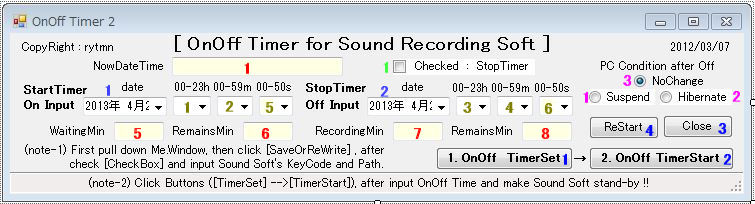 |
 |
| ウインドウの隠れた部分のツール(下への拡大部) |
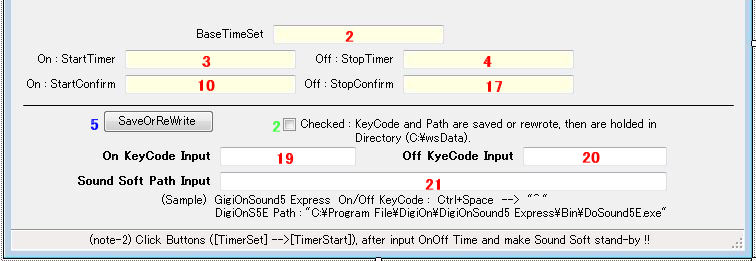 |
| (上:通常無くてもよい表示 下:ソフトの キーコード・パス の 入力、保存、変更) |
|
|
プロジェクトの作成と操作 |
| ※ 3.汎用サウンドソフト用録音プログラム(カウント |
| ダウン方式) と 4.汎用サウンドソフト用 |
| 録音プログラム(タイムセット方式)の異なる |
| 部分について記述する。 |
| . |
| 1. 新しいプロジェクトを開く |
| 2. タイムセット方式へのForm1改造 |
| DateTimePicker1,2 On,Off Inputの前に設置 |
| TextBox2,3,4,10,17 隠れウインドウに設置 |
| ウインドウ通常表示画面を薄くするために隠れ |
| ウインドウ内に TextBox2,3,4,10,17 を表示した。 |
| 3.
タイムセット方式のため Timer3,4のEPコードを |
| 大幅に変更 茶コード削除→ピンクコードと書替 |
| その他EP ピンクコード に追加または書替 |
| 4. TimerSetをCLするとWaitingMin、RecordingMinに |
| 準備完了の ready が表示される。 |
| . |
|
| 6. On StartTimer、Off StopTimer |
| (NowDateTimeと一致した表示) |
| TimerStartのCLと共にWaitingMinとRemainsMin |
| を表示、On StartTimerが時刻を刻み始め、 |
| On Input時刻と一致した時にサウンドソフトを |
| 起動する。 WaitingMinは待ち分、RemainsMinは |
| 残り分を表示。 |
| サウンドソフト起動と共にRecordingMinと |
| RemainMinを表示、Off StopTimerが時を刻み |
| 始め、Off Input時刻と一致した時にサウンドソフト |
| を停止する。 RecordingMinは録音分、 |
| RemainsMinは残り分を表示する。 |
| RemainsMinはカウントダウン方式の計算のため |
| 2~3%の遅れが生じるので目安として視るべき |
| である。(ms=1000を998に設定している) |
| . |
| . |
|
|
|
Public Class Form1
----------
Private Sub Form1_Load(ByVal sender As
System.Object, ByVal e As System.EventArgs) Handles MyBase.Load
'ウインドウ表示位置変更
Me.StartPosition = System.Windows.Forms.FormStartPosition.Manual
Me.Location = New System.Drawing.Point(50, 30)
'CombBox入力
With ComboBox1
.Items.Add("00")
.Items.Add("01")
.Items.Add("02")
.Items.Add("03")
.Items.Add("04")
.Items.Add("05")
.Items.Add("06")
.Items.Add("07")
.Items.Add("08")
.Items.Add("09")
.Items.Add("10")
.Items.Add("11")
.Items.Add("12")
.Items.Add("13")
.Items.Add("14")
.Items.Add("15")
.Items.Add("16")
.Items.Add("17")
.Items.Add("18")
.Items.Add("19")
.Items.Add("20")
.Items.Add("21")
.Items.Add("22")
.Items.Add("23")
'.BackColor = Color.PowderBlue
'.Font = New Font("MS Pゴシック", 12)
.Text = "00" 'テキストボックスに最初に表示して置く項目を設定
End With
With ComboBox2
.Items.Add("00")
.Items.Add("01")
.Items.Add("02")
.Items.Add("03")
.Items.Add("04")
.Items.Add("05")
.Items.Add("06")
.Items.Add("07")
.Items.Add("08")
.Items.Add("09")
.Items.Add("10")
.Items.Add("11")
.Items.Add("12")
.Items.Add("13")
.Items.Add("14")
.Items.Add("15")
.Items.Add("16")
.Items.Add("17")
.Items.Add("18")
.Items.Add("19")
.Items.Add("20")
.Items.Add("21")
.Items.Add("22")
.Items.Add("23")
.Items.Add("24")
.Items.Add("25")
.Items.Add("26")
.Items.Add("27")
.Items.Add("28")
.Items.Add("29")
.Items.Add("30")
.Items.Add("31")
.Items.Add("32")
.Items.Add("33")
.Items.Add("34")
.Items.Add("35")
.Items.Add("36")
.Items.Add("37")
.Items.Add("38")
.Items.Add("39")
.Items.Add("40")
.Items.Add("41")
.Items.Add("42")
.Items.Add("43")
.Items.Add("44")
.Items.Add("45")
.Items.Add("46")
.Items.Add("47")
.Items.Add("48")
.Items.Add("49")
.Items.Add("50")
.Items.Add("51")
.Items.Add("52")
.Items.Add("53")
.Items.Add("54")
.Items.Add("55")
.Items.Add("56")
.Items.Add("57")
.Items.Add("58")
.Items.Add("59")
'.BackColor = Color.PowderBlue
'.Font = New Font("MS Pゴシック", 12)
.Text = "00" 'テキストボックスに最初に表示して置く項目を設定
End With
With ComboBox3
.Items.Add("00")
.Items.Add("01")
.Items.Add("02")
.Items.Add("03")
.Items.Add("04")
.Items.Add("05")
.Items.Add("06")
.Items.Add("07")
.Items.Add("08")
.Items.Add("09")
.Items.Add("10")
.Items.Add("11")
.Items.Add("12")
.Items.Add("13")
.Items.Add("14")
.Items.Add("15")
.Items.Add("16")
.Items.Add("17")
.Items.Add("18")
.Items.Add("19")
.Items.Add("20")
.Items.Add("21")
.Items.Add("22")
.Items.Add("23")
'.BackColor = Color.PowderBlue
'.Font = New Font("MS Pゴシック", 12)
.Text = "00" 'テキストボックスに最初に表示して置く項目を設定
End With
With ComboBox4
.Items.Add("00")
.Items.Add("01")
.Items.Add("02")
.Items.Add("03")
.Items.Add("04")
.Items.Add("05")
.Items.Add("06")
.Items.Add("07")
.Items.Add("08")
.Items.Add("09")
.Items.Add("10")
.Items.Add("11")
.Items.Add("12")
.Items.Add("13")
.Items.Add("14")
.Items.Add("15")
.Items.Add("16")
.Items.Add("17")
.Items.Add("18")
.Items.Add("19")
.Items.Add("20")
.Items.Add("21")
.Items.Add("22")
.Items.Add("23")
.Items.Add("24")
.Items.Add("25")
.Items.Add("26")
.Items.Add("27")
.Items.Add("28")
.Items.Add("29")
.Items.Add("30")
.Items.Add("31")
.Items.Add("32")
.Items.Add("33")
.Items.Add("34")
.Items.Add("35")
.Items.Add("36")
.Items.Add("37")
.Items.Add("38")
.Items.Add("39")
.Items.Add("40")
.Items.Add("41")
.Items.Add("42")
.Items.Add("43")
.Items.Add("44")
.Items.Add("45")
.Items.Add("46")
.Items.Add("47")
.Items.Add("48")
.Items.Add("49")
.Items.Add("50")
.Items.Add("51")
.Items.Add("52")
.Items.Add("53")
.Items.Add("54")
.Items.Add("55")
.Items.Add("56")
.Items.Add("57")
.Items.Add("58")
.Items.Add("59")
'.BackColor = Color.PowderBlue
'.Font = New Font("MS Pゴシック", 12)
.Text = "00" 'テキストボックスに最初に表示して置く項目を設定
End With
With ComboBox5
.Items.Add("00")
.Items.Add("10")
.Items.Add("20")
.Items.Add("30")
.Items.Add("40")
.Items.Add("50")
'.BackColor = Color.PowderBlue
'.Font = New Font("MS Pゴシック", 12)
.Text = "00" 'テキストボックスに最初に表示して置く項目を設定
End With
With ComboBox6
.Items.Add("00")
.Items.Add("10")
.Items.Add("20")
.Items.Add("30")
.Items.Add("40")
.Items.Add("50")
'.BackColor = Color.PowderBlue
'.Font = New Font("MS Pゴシック", 12)
.Text = "00" 'テキストボックスに最初に表示して置く項目を設定
End With
'現在・設定時刻の書式を指定
Me.TextBox1.Text = Format(Date.Now, "yyyy/MM/dd
HH:mm:ss")
Me.TextBox2.Text = Format(Date.Now, "yyyy/MM/dd
HH:mm:ss")
Me.TextBox3.Text = Format(Date.Now, "yyyy/MM/dd HH:mm:ss")
Me.TextBox4.Text = Format(Date.Now, "yyyy/MM/dd HH:mm:ss")
'インターバル(ms)
Me.Timer1.Interval = 1000
Me.Timer2.Interval = 1000
Me.Timer3.Interval = 998 '996
Me.Timer4.Interval = 998 '996
'タイマーON
Me.Timer1.Start()
Me.Timer2.Start()
'DateTimePicker年月日のFormat
DateTimePicker1.Format = DateTimePickerFormat.Custom
DateTimePicker1.CustomFormat = "yyyy/MM/dd"
DateTimePicker2.Format = DateTimePickerFormat.Custom
DateTimePicker2.CustomFormat = "yyyy/MM/dd"
End Sub
----------
Private Sub Timer1_Tick(ByVal sender As
System.Object, ByVal e As System.EventArgs) Handles Timer1.Tick
'現在時刻を表示
Me.TextBox1.Text = Format(Date.Now, "yyyy/MM/dd
HH:mm:ss")
End Sub
----------
Private Sub Timer2_Tick(ByVal sender As
System.Object, ByVal e As System.EventArgs) Handles Timer2.Tick
'設定時刻を表示
Me.TextBox2.Text = Format(Date.Now, "yyyy/MM/dd
HH:mm:ss")
End Sub
----------
'Beep宣言(周波数・秒数)
Public Declare Function Beep Lib "kernel32" (ByVal dwFreq As Long, ByVal dwDuration As Long) As Long
'Console.Beep(262, 400) ' ド
'Console.Beep(294, 400) ' レ
'Console.Beep(330, 400) ' ミ
'Console.Beep(349, 400) ' ファ
'Console.Beep(392, 400) ' ソ
'Console.Beep(440, 400) ' ラ
'Console.Beep(494, 400) ' シ
'Console.Beep(523, 400) ' ド
Private Sub Timer3_Tick(ByVal sender As
System.Object, ByVal e As System.EventArgs) Handles Timer3.Tick
TextBox3.Text = Format(Date.Now, "yyyy/MM/dd HH:mm:ss") 'On
Timer時刻表示
'録音開始時刻の取得
Dim H3 As String = ComboBox1.SelectedItem '待ち時間
Dim M4 As String = ComboBox2.SelectedItem '待ち分
Dim S9 As String = ComboBox5.SelectedItem '待ち秒
Dim D1 As String = CDate(DateTimePicker1.Text) '待ち日
Dim DD1 As String = Format(CDate(DateTimePicker1.Text), "yyyyMMdd") '年月日Format
'Stop Timerの選択
If CheckBox1.Checked = True Then GoTo aaaa
'残り秒表示
Dim baseT As String = TextBox2.Text
Dim alarmT As String
alarmT = D1 & " " & H3 & ":" & M4 & ":" & S9
Static SS As Integer
SS = SS + 1
'秒を分に換算して待機分と残り分表示
Dim diffSec1
diffSec1 = DateDiff("s", baseT, alarmT)
TextBox5.Text = Format(diffSec1 / 60, "0.0")
TextBox6.Text = Format((Val(diffSec1) - SS) / 60, "0.0")
'録音開始時刻Format
Dim alarm As String
alarm = DD1 & H3 & M4 & S9
'録音開始 Beep & Key 操作
Dim Ton As String = Me.TextBox20.Text
Dim appPath As String = Me.TextBox21.Text
If alarm = Format(Date.Now, "yyyyMMddHHmmss") Then
Dim aaaaID As Integer
aaaaID = Shell(appPath, AppWinStyle.NormalFocus)
SendKeys.SendWait(Ton)
Me.TextBox10.Text = "Start SendKeys(KeyCode)"
Console.Beep(330, 1000)
'SendKeys.SendWait("{^}{vbKeySpace}")
'SendKeys.Send("^{SPACE}")
'SendKeys.SendWait("vbKeyControl,vbKeySpace")
'System.Threading.Thread.Sleep(2000)
GoTo bbbb
'待機時間タイマー停止 と 録音開始タイマー起動
aaaa: TextBox5.Text = Format(0, "0.0")
TextBox6.Text = Format(0, "0.0")
bbbb: Me.Timer3.Stop()
Me.Timer4.Start()
Exit Sub
End If
'----------以下不要、タイムセット方式のため
'待ち時間表示
Static iSec, iSec0 As Integer '秒
Static iMin As Integer '分
Static iHour As Integer '時
'MsgBox(iMin)
'終了タイマーの選択
If CheckBox1.Checked = True Then GoTo label
iSec0 = iSec0 + 1
'1秒進める 経過秒
iSec = iSec + 1
'1秒進める 表示秒
If iSec >= 60 Then '60秒=1分
iMin = iMin + 1
iSec = 0
If iMin >= 60 Then '60分=1時間
iHour = iHour + 1
iMin = 0
End If
End If
'待ち経過 書式を指定
Me.TextBox8.Text = Format(iHour, "00") & ":" & _
Format(iMin, "00") & ":" & _
Format(iSec, "00")
'待ち残り時間表示
Dim TQ As Integer
TQ = Me.TextBox6.Text
Me.TextBox7.Text = Format(TQ - iSec0, "000000")
'録音開始 Beep & KeyCode 送り (待ち秒と経過秒が一致した時)
If TQ = iSec0 Then
'サウンドソフトのactivate
Dim aaaaID As Integer
aaaaID = Shell("C:\Program
Files\DigiOn\DigiOnSound5 Express\Bin\DoSound5E.exe")
'AppActivate(aaaaID)
'KeyCode 送り
SendKeys.SendWait("^ ")
Me.TextBox10.Text = "開始
SendKeys(Ctrl+Space)"
Console.Beep(330, 1000)
'トライした KeyCode の残骸
'SendKeys.SendWait("{^}{vbKeySpace}")
'SendKeys.Send("^{SPACE}")
'SendKeys.SendWait("vbKeyControl,vbKeySpace")
'System.Threading.Thread.Sleep(2000)
Label:
Me.Timer4.Interval = 1000
Me.Timer4.Start()
Me.Timer3.Stop()
End If
'-----------以上不要、タイムセット方式のため
End Sub
----------
Private Sub Button1_Click(ByVal sender As
System.Object, ByVal e As System.EventArgs) Handles Button1.Click
'保存data キーコード&パス名 の HDDから読込とTextBoxへの書出
Dim StartupPath, FullPath01, FullPath02, FullPath03 As String
StartupPath = "C:\wsData"
FullPath01 = (StartupPath & "\WSdata01.txt")
FullPath02 = (StartupPath & "\WSdata02.txt")
FullPath03 = (StartupPath & "\WSdata03.txt")
TextBox19.Text = IO.File.ReadAllText(FullPath01,
System.Text.Encoding.GetEncoding("Shift-JIS"))
TextBox20.Text = IO.File.ReadAllText(FullPath02,
System.Text.Encoding.GetEncoding("Shift-JIS"))
TextBox21.Text = IO.File.ReadAllText(FullPath03,
System.Text.Encoding.GetEncoding("Shift-JIS"))
'誤操作警報のため 待ち、録音時間入力読込
Dim H33 As String =
Val(ComboBox1.SelectedItem) 'Val(Me.TextBox3.Text)
Dim M44 As String = Val(ComboBox2.SelectedItem) 'Val(Me.TextBox4.Text)
Dim S99 As String = Val(ComboBox5.SelectedItem) 'Val(Me.TextBox9.Text)
Dim H111 As String = Val(ComboBox3.SelectedItem) 'Val(Me.TextBox11.Text)
Dim M122 As String = Val(ComboBox4.SelectedItem) 'Val(Me.TextBox12.Text)
Dim S188 As String = Val(ComboBox6.SelectedItem)
'Val(Me.TextBox18.Text)
'誤操作警報
If CheckBox1.Checked = False And H33 = 0 And M44 = 0 And S99 = 0 And H111 = 0 And M122 = 0
And
S188 = 0 Then
MsgBox("A:待機時間 と 録音時間 を入力して" + vbCrLf + "時刻設定 を押すこと !!")
Application.Restart()
End If
If CheckBox1.Checked = False And H111 = 0 And M122 = 0 And S188 = 0 Then
MsgBox("B:待機時間 と 録音時間 を入力して" + vbCrLf + "時刻設定 を押すこと !!")
Application.Restart()
End If
If CheckBox1.Checked = True And H111 = 0 And M122 = 0 And S188 = 0 Then
MsgBox("C:録音時間 を入力して" + vbCrLf + "時刻設定 を押すこと !!")
Application.Restart()
End If
'----------以下不要、タイムセット方式のため
'基準時刻タイマー停止
Me.Timer2.Stop()
'起動時刻の表示(基準時刻に待ち時間を加算)
Dim H3 As String = ComboBox1.SelectedItem 'Me.TextBox3.Text
Dim M4 As String = ComboBox2.SelectedItem 'Me.TextBox4.Text
Dim S9 As String = ComboBox5.SelectedItem 'Me.TextBox9.Text
Dim startTime As DateTime = DateTime.Parse(Me.TextBox2.Text)
'MsgBox(startTime)
startTime = startTime.AddHours(H3)
startTime = startTime.AddMinutes(M4)
startTime = startTime.AddSeconds(S9)
'MsgBox(startTime)
Me.TextBox5.Text = startTime
'待ち合計秒表示
Dim Q As Integer
Q = 0
Q = H3 * 60 * 60 + M4 * 60 + S9
'MsgBox(Q)
Me.TextBox6.Text = Q
'--------------------------------------------
'終了時刻の表示(開始時刻に録音時間を加算)
Dim H11 As String = ComboBox3.SelectedItem 'Me.TextBox11.Text
Dim M12 As String = ComboBox4.SelectedItem 'Me.TextBox12.Text
Dim S18 As String = ComboBox6.SelectedItem
'Me.TextBox18.Text
Dim endTime As DateTime = DateTime.Parse(Me.TextBox5.Text)
'MsgBox(endTime)
endTime = endTime.AddHours(H11)
endTime = endTime.AddMinutes(M12)
endTime = endTime.AddSeconds(S18)
Me.TextBox13.Text = endTime
'録音合計秒表示
Dim R As Integer
R = 0
R = H11 * 60 * 60 + M12 * 60 + S18
'MsgBox(Q)
Me.TextBox15.Text = R
'----------以上不要、タイムセット方式のため
'タイマー設定完了
TextBox5.Text = "ready"
TextBox7.Text = "ready"
End Sub
----------
Private Sub Button2_Click(ByVal sender As
System.Object, ByVal e As System.EventArgs) Handles Button2.Click
'基準時間タイマー停止 と 待機時間タイマー起動
Me.Timer2.Stop()
Me.Timer3.Start()
'誤操作警報のため 待ち、録音時間入力読込
Dim H33 As String =
Val(ComboBox1.SelectedItem) 'Val(Me.TextBox3.Text)
Dim M44 As String = Val(ComboBox2.SelectedItem) 'Val(Me.TextBox4.Text)
Dim S99 As String = Val(ComboBox5.SelectedItem) 'Val(Me.TextBox9.Text)
Dim H111 As String = Val(ComboBox3.SelectedItem) 'Val(Me.TextBox11.Text)
Dim M122 As String = Val(ComboBox4.SelectedItem) 'Val(Me.TextBox12.Text)
Dim S188 As String = Val(ComboBox6.SelectedItem) 'Val(Me.TextBox18.Text)
'誤操作警報
If CheckBox1.Checked = False And H33 = 0 And M44 = 0 And S99 = 0 And H111 = 0 And M122 = 0
And S188 = 0 Then
MsgBox("A:待機時間 と 録音時間 を入力して" + vbCrLf + "時刻設定→Timer起動 を押すこと !!")
Application.Restart()
End If
If CheckBox1.Checked = False And H111 = 0 And M122 = 0 And S188 = 0 Then
MsgBox("B:待機時間 と 録音時間 を入力して" + vbCrLf + "時刻設定→Timer起動 を押すこと !!")
Application.Restart()
End If
If CheckBox1.Checked = True And H111 = 0 And M122 = 0 And S188 = 0 Then
MsgBox("C:録音時間 を入力して" + vbCrLf + "時刻設定→Timer起動 を押すこと !!")
Application.Restart()
End If
'----------不要
'待ち時間タイマー起動
Me.Timer3.Interval = 1000
Me.Timer3.Start()
'---------------------------------
'Me.Timer4.Interval = 1000
'Me.Timer4.Start()
'----------不要
End Sub
----------
Private Sub Timer4_Tick(ByVal sender As
System.Object, ByVal e As System.EventArgs) Handles Timer4.Tick
TextBox4.Text =
Format(Date.Now, "yyyy/MM/dd HH:mm:ss") '録音時刻表示
'録音開始
Dim H11 As String = ComboBox3.SelectedItem '録音時間入力
Dim M12 As String = ComboBox4.SelectedItem '録音分入力
Dim S18 As String = ComboBox6.SelectedItem '録音秒入力
Dim D2 As String = CDate(DateTimePicker2.Text) '録音日入力
Dim DD2 As String = Format(CDate(DateTimePicker2.Text), "yyyyMMdd") '年月日Format
'残り秒表示
Dim baseT As String = TextBox2.Text
Dim alarmT As String
alarmT = D2 & " " & H11 & ":" & M12 & ":" & S18
Static SS As Integer
SS = SS + 1
'秒を分に換算して 録音分と残り分を表示
Dim diffSec2, diffSec1
Dim diffSec11 As Integer
diffSec2 = DateDiff("s", baseT, alarmT)
diffSec1 = TextBox5.Text
diffSec11 = Val(diffSec1) * 60
TextBox7.Text = Format((Val(diffSec2) - diffSec11) / 60, "0.0")
TextBox8.Text = Format((Val(diffSec2) - diffSec11 - SS) / 60, "0.0")
'録音停止時刻Format
Dim alarm, TT As String
alarm = DD2 & H11 & M12 & S18
TT = Format(Date.Now, "yyyyMMddHHmmss")
'録音終了 Beep & Key 操作
Dim Toff As String = Me.TextBox20.Text
Dim appPath As String = Me.TextBox21.Text
If alarm = Format(Date.Now, "yyyyMMddHHmmss") Then
Dim aaaaID As Integer
aaaaID = Shell(appPath, AppWinStyle.NormalFocus)
'AppActivate(aaaaID)
SendKeys.SendWait(Toff) ' "^ "
Me.TextBox17.Text = "Stop SendKeys(KeyCode)"
Console.Beep(660, 1000)
'SendKeys.SendWait("{^}{vbKeySpace}")
'SendKeys.Send("^{SPACE}")
'SendKeys.SendWait("vbKeyControl,vbKeySpace")
Me.Timer4.Stop()
System.Threading.Thread.Sleep(5000)
'録音終了後の PC Condition
If RadioButton1.Checked = True Then
Application.SetSuspendState(PowerState.Suspend, False, False) 'スタンバイ状態にする
End If
If RadioButton2.Checked = True Then
Application.SetSuspendState(PowerState.Hibernate, False, False) '休止状態にする
End If
End If
'----------以下削除、タイムセット方式のため
'録音時間表示
Static oSec, oSec0 As Integer '秒
Static oMin As Integer '分
Static oHour As Integer '時
oSec0 = oSec0 + 1 '1秒進める 経過秒
oSec = oSec + 1 '1秒進める 表示秒
If oSec >= 60 Then '60秒=1分
oMin = oMin + 1
oSec = 0
If oMin >= 60 Then '60分=1時間
oHour = oHour + 1
oMin = 0
End If
End If
'録音経過 書式を指定
Me.TextBox14.Text = Format(oHour, "00") & ":" & _
Format(oMin, "00") & ":" & _
Format(oSec, "00")
'録音残り時間表示
Dim TS As Integer
TS = Me.TextBox15.Text
'MsgBox(S)
Me.TextBox16.Text = Format(TS - oSec0, "000000")
'録音完了 Beep & KeyCode 送り (待ち秒と経過秒が一致した時)
If TS = oSec0 Then
'サウンドソフトのactivate
Dim aaaaID As Integer 'アプリのactivate
aaaaID = Shell("C:\Program
Files\DigiOn\DigiOnSound5 Express\Bin\DoSound5E.exe")
'AppActivate(aaaaID)
'KeyCode 送り
SendKeys.SendWait("^ ")
Me.TextBox17.Text = "終了
SendKeys(Ctrl+Space)"
Console.Beep(660, 1000)
'トライした KeyCode 残骸
'SendKeys.SendWait("{^}{vbKeySpace}")
'SendKeys.Send("^{SPACE}")
'SendKeys.SendWait("vbKeyControl,vbKeySpace")
System.Threading.Thread.Sleep(2000) '2秒待ち
Me.Timer4.Stop()
'録音完了後のPC状態 選択
If RadioButton1.Checked = True Then
Application.SetSuspendState(PowerState.Suspend, False, False) '一時休止状態にする
End If
If RadioButton2.Checked = True Then
Application.SetSuspendState(PowerState.Hibernate, False, False)
'保存停止状態にする
End If
End If
'----------以上削除、タイムセット方式のため
End Sub
----------
Private Sub Button3_Click(ByVal sender As
System.Object, ByVal e As System.EventArgs) Handles Button3.Click
End '録音タイマー 終了
End Sub
----------
Private Sub Button4_Click_1(ByVal sender As
System.Object, ByVal e As System.EventArgs) Handles Button4.Click
Application.Restart() '録音タイマー 再起動
End Sub
----------
Private Sub CheckBox1_CheckedChanged(ByVal sender As
System.Object, ByVal e As System.EventArgs) Handles CheckBox1.CheckedChanged
End Sub
----------
Private Sub RadioButton1_CheckedChanged(ByVal sender As
System.Object, ByVal e As System.EventArgs) Handles RadioButton1.CheckedChanged
'一時休止
End Sub
----------
Private Sub RadioButton2_CheckedChanged(ByVal sender As
System.Object, ByVal e As System.EventArgs) Handles RadioButton2.CheckedChanged
'保存停止
End Sub
----------
Private Sub RadioButton3_CheckedChanged(ByVal sender As
System.Object, ByVal e As System.EventArgs) Handles RadioButton3.CheckedChanged
'現状維持(ダミーボタン)
End Sub
----------
'新規に 下記 EP(黒字) が追加となる ピンク部 コード 記入
----------
Private Sub ToolStripStatusLabel1_Click(ByVal sender As
System.Object, ByVal e As System.EventArgs) Handles ToolStripStatusLabel1.Click
End Sub
----------
Private Sub TextBox19_TextChanged(ByVal sender As
System.Object, ByVal e As System.EventArgs) Handles TextBox19.TextChanged
Dim Ton As String = Me.TextBox19.Text 'On KeyCode入力
End Sub
----------
Private Sub TextBox20_TextChanged(ByVal sender As
System.Object, ByVal e As System.EventArgs) Handles TextBox20.TextChanged
Dim Toff As String = Me.TextBox20.Text 'Off KeyCode入力
End Sub
----------
Private Sub TextBox21_TextChanged(ByVal sender As
System.Object, ByVal e As System.EventArgs) Handles TextBox21.TextChanged
Dim appPath As String = Me.TextBox21.Text
'アプリソフトのPath入力
End Sub
----------
Private Sub CheckBox2_CheckedChanged(ByVal sender As
System.Object, ByVal e As System.EventArgs)
Handles CheckBox1.CheckedChanged
End Sub
----------
Private Sub Button5_Click(ByVal sender As
System.Object, ByVal e As System.EventArgs) Handles Button5.Click
'TextBox内data の HDDへ保存のためホルダとファイルを作る
Dim StartupPath, FullPath01, FullPath02, FullPath03 As String
StartupPath = "C:\wsData" 'パス名 ホルダ作成
System.IO.Directory.CreateDirectory(StartupPath) 'ファイル名作成
FullPath01 = (StartupPath & "\WSdata01.txt")
FullPath02 = (StartupPath & "\WSdata02.txt")
FullPath03 = (StartupPath & "\WSdata03.txt")
'CheckBoxがチェックされたときだけ保存または書換、次の書換までHDDに保存を保つ
If CheckBox2.Checked = True Then
Dim sw01, sw02, sw03 As System.IO.StreamWriter
sw01 = New System.IO.StreamWriter(FullPath01, False,
System.Text.Encoding.GetEncoding
("Shift-JIS"))
sw01.Write(TextBox19.Text)
sw01.Close()
sw02 = New System.IO.StreamWriter(FullPath02, False,System.Text.Encoding.GetEncoding
("Shift-JIS"))
sw02.Write(TextBox20.Text)
sw02.Close()
sw03 = New System.IO.StreamWriter(FullPath03, False,System.Text.Encoding.GetEncoding
("Shift-JIS"))
sw03.Write(TextBox21.Text)
sw03.Close()
'保存し、ファイルを閉じた後、CheckBoxからチェックを外す。 dataに保護に必要。
CheckBox2.Checked = False
End If
End Sub
----------
End Class
|
|
|
.
|
|
.
|
|
5.PC 停止プログラム
|
|
録音タイマーのプログラム作成において、録音終了後PCを shutdown するとメモリ保存されたデータが消滅することになるので sleep状態にして停止(メモリ電源ONにして、主電源を切る)する方法を考え始めた。 もうひとつの方法として hibernate停止(メモリ内データを保存して、電源を切る)があることを知り、録音タイマーに組み込むことにした。
|
|
ネット上のTipsを調べるうちに、簡単に PC停止プログラム が作成出来ることが分かり、PC即停止プログラム を先ず作成、その後 カウントダウン・タイマーを組み込んだ PCタイマー停止プログラム の2プログラムを作成した。
|
|
PC 即停止プログラム |
|
|
|
プロジェクトの作成と操作 |
| 1. Form1に Button(Btn)1→6個を左図どうり配置 |
|
ToolTip(TT)1→6個をDrug&Dropする。 |
| 2. Form1、Buttonのプロパティのテキストに左図の |
| 文字を入れる。 下記も記述する。 |
| Btn4/TT4:Suspend:一時休止(スリープ)する |
| Btn3/TT3:Hibernate:メモリ情報を保存した後、 |
| 電源を切る |
| Btn2/TT2:ReBoot:電源を切った後、再起動する |
| Btn1/TT1:Shutdown:5秒後に電源を切る |
| Btn6/TT6:ReStart:ソフトを再生する |
| Btn5/TT5:Close:ソフトを閉じる |
| 3. Button1→6をWCLし、EPを作り、 Foem1コードに |
| 青コード をコピーまたは書き込む。 |
|
他は省略 |
| . |
|
|
全プログラム・コード
|
Public Class Form1
----------
Private Sub Button4_Click(ByVal sender As System.Object, ByVal e As System.EventArgs) Handles Button4.Click
Dim YN As Integer = MsgBox("Suspend OK !!", vbOKCancel)
'MsgBox(YN)
If YN = 2 Then
Application.Restart()
End If
If YN = 1 Then
'スタンバイ状態にする 中断・サスペンド・スリープ状態にする
Application.SetSuspendState(PowerState.Suspend, False, False)
End If
End Sub
----------
Private Sub Button3_Click(ByVal sender As System.Object, ByVal e As System.EventArgs) Handles Button3.Click
Dim YN As Integer = MsgBox("Hibernate OK !!", vbOKCancel)
If YN = 2 Then
Application.Restart()
End If
If YN = 1 Then
'休止状態にする メモリ情報をHDDに保存して電源を切る
Application.SetSuspendState(PowerState.Hibernate, False, False)
End If
End Sub
----------
Private Sub Button2_Click(ByVal sender As System.Object, ByVal e As System.EventArgs) Handles Button2.Click
Dim YN As Integer = MsgBox("ReBoot OK !!", vbOKCancel)
If YN = 2 Then
Application.Restart()
End If
If YN = 1 Then
Dim psi As New System.Diagnostics.ProcessStartInfo()
psi.FileName = "shutdown.exe"
'コマンドラインを指定
psi.Arguments = "-r"
'ウィンドウを表示しないようにする(こうしても表示される)
psi.CreateNoWindow = True
'コンピュータをシャットダウンして再起動します
Dim p As System.Diagnostics.Process = System.Diagnostics.Process.Start(psi)
End If
End Sub
----------
Private Sub Button1_Click(ByVal sender As System.Object, ByVal e As System.EventArgs) Handles Button1.Click
Dim YN As Integer = MsgBox("Shutdown OK !!", vbOKCancel)
If YN = 2 Then
Application.Restart()
End If
If YN = 1 Then
Dim psi As New System.Diagnostics.ProcessStartInfo()
psi.FileName = "shutdown.exe"
'コマンドラインを指定
psi.Arguments = "-s -t 5"
'ウィンドウを表示しないようにする(こうしても表示される)
psi.CreateNoWindow = True
'コンピュータをシャットダウンします
Dim p As System.Diagnostics.Process = System.Diagnostics.Process.Start(psi)
End If
'使用法: shutdown のコマンドライン [-i , -l , -s , -r , -a] [-f] [-m \\コンピュータ名] [-t xx] [-c"コメント"] [-d
up:xx:yy](参考に記述)
'引数なし このメッセージを表示します (-? と同じです)
'-i GUI インターフェイスを表示します。このオプションは最初に指定する必要があります()
'-l ログオフ (-m オプションとは併用できません)
'-s コンピュータをシャットダウンします
'-r コンピュータをシャットダウンして再起動します
'-a システム シャットダウンを中止します
'-m \\コンピュータ名 シャットダウン/再起動/中止するリモート コンピュータの名前です()
'-t xx シャットダウンのタイムアウトを xx 秒に設定します()
'-c "コメント" シャットダウンのコメントです (127 文字まで)
'-f 実行中のアプリケーションを警告なしに閉じます
'-d [u][p]:xx:yy シャットダウンの理由コードです
' u = ユーザー コード
' p = 計画されたシャットダウンのコード
' xx = 重大な理由コード (255 以下の正の整数)
' (yy = 重大ではない理由コード (65535 以下の正の整数)
End Sub
----------
Private Sub Button5_Click(ByVal sender As System.Object, ByVal e As System.EventArgs) Handles Button5.Click
End
End Sub
----------
Private Sub Button6_Click(ByVal sender As System.Object, ByVal e As System.EventArgs) Handles Button6.Click
Application.Restart()
End Sub
----------
End Class
|
|
PC タイマー停止プログラム
|
|
ウインドウ通常表示 |
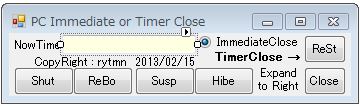 |
|
ウインドウの隠れた部分のツール(右への拡大部) |
 |
 |
|
(左半分:通常表示で即停止操作 右半分:タイマー停止の入力、表示、操作) |
|
|
プロジェクトの作成と操作
|
| 1. Form1ウインドウに下記配置 |
| Button1~7:赤 TextBox4,7,8,9:青 |
| ComboBox1~3:ピンク RadioButton1,2:緑 |
| 各ツールの名称をLabelまたはプロパティのTextで |
| 記入する。 |
| 2. 全プログラム・コードに従ってイベントプロシージャ |
| (EP)を作成 |
| 3. 各EPにコード(青部分)をコピーまたは記入する。 |
| 4. Timer1~6をForm1にDrug&Dropする |
| |
| . |
|
| 5. ToolTip1~7をForm1にDrug&Dropして下記記入 |
| Btn4/TT4:Suspend:一時休止(スリープ)する |
| Btn3/TT3:Hibernate:メモリ情報を保存した後、 |
| 電源を切る |
| Btn2/TT2:ReBoot:電源を切った後、再起動する |
| Btn1/TT1:Shutdown:電源を切る |
| Btn7/TT7:ReStart:ソフトを再生する |
| Btn6/TT6:ReStart:TimerSet:タイマーを設定する |
| Btn5/TT5:Close:ソフトを閉じる |
| . ※ その他の説明は省略する |
| . |
|
|
全プログラム・コード
|
Public Class Form1
----------
Private Sub Form1_Load(ByVal sender As System.Object, ByVal e As System.EventArgs) Handles MyBase.Load
With ComboBox1
.Items.Add("00")
.Items.Add("01")
.Items.Add("02")
.Items.Add("03")
.Items.Add("04")
.Items.Add("05")
.Items.Add("06")
.Items.Add("07")
.Items.Add("08")
.Items.Add("09")
.Items.Add("10")
.Items.Add("11")
.Items.Add("12")
.Items.Add("13")
.Items.Add("14")
.Items.Add("15")
.Items.Add("16")
.Items.Add("17")
.Items.Add("18")
.Items.Add("19")
.Items.Add("20")
.Items.Add("21")
.Items.Add("22")
.Items.Add("23")
'.BackColor = Color.PowderBlue
'.Font = New Font("MS Pゴシック", 12)
.Text = "00" 'テキストボックスに最初に表示して置く項目を設定
End With
With ComboBox2
.Items.Add("00")
.Items.Add("01")
.Items.Add("02")
.Items.Add("03")
.Items.Add("04")
.Items.Add("05")
.Items.Add("06")
.Items.Add("07")
.Items.Add("08")
.Items.Add("09")
.Items.Add("10")
.Items.Add("11")
.Items.Add("12")
.Items.Add("13")
.Items.Add("14")
.Items.Add("15")
.Items.Add("16")
.Items.Add("17")
.Items.Add("18")
.Items.Add("19")
.Items.Add("20")
.Items.Add("21")
.Items.Add("22")
.Items.Add("23")
.Items.Add("24")
.Items.Add("25")
.Items.Add("26")
.Items.Add("27")
.Items.Add("28")
.Items.Add("29")
.Items.Add("30")
.Items.Add("31")
.Items.Add("32")
.Items.Add("33")
.Items.Add("34")
.Items.Add("35")
.Items.Add("36")
.Items.Add("37")
.Items.Add("38")
.Items.Add("39")
.Items.Add("40")
.Items.Add("41")
.Items.Add("42")
.Items.Add("43")
.Items.Add("44")
.Items.Add("45")
.Items.Add("46")
.Items.Add("47")
.Items.Add("48")
.Items.Add("49")
.Items.Add("50")
.Items.Add("51")
.Items.Add("52")
.Items.Add("53")
.Items.Add("54")
.Items.Add("55")
.Items.Add("56")
.Items.Add("57")
.Items.Add("58")
.Items.Add("59")
'.BackColor = Color.PowderBlue
'.Font = New Font("MS Pゴシック", 12)
.Text = "00" 'テキストボックスに最初に表示して置く項目を設定
End With
With ComboBox3
.Items.Add("00")
.Items.Add("10")
.Items.Add("20")
.Items.Add("30")
.Items.Add("40")
.Items.Add("50")
'.BackColor = Color.PowderBlue
'.Font = New Font("MS Pゴシック", 12)
.Text = "00" 'テキストボックスに最初に表示して置く項目を設定
End With
'現在・設定時刻取得
Me.TextBox4.Text = Format(Date.Now, "yyyy/MM/dd HH:mm:ss")
Me.TextBox5.Text = Format(Date.Now, "yyyy/MM/dd HH:mm:ss")
'インターバル(ms)
Me.Timer1.Interval = 1000
Me.Timer2.Interval = 1000
'タイマーON
Me.Timer1.Start()
Me.Timer2.Start()
End Sub
----------
Private Sub Timer1_Tick(ByVal sender As System.Object, ByVal e As System.EventArgs) Handles Timer1.Tick
'現在時刻を表示
Me.TextBox4.Text = Format(Date.Now, "yyyy/MM/dd HH:mm:ss")
End Sub
----------
Private Sub Timer2_Tick(ByVal sender As System.Object, ByVal e As System.EventArgs) Handles Timer2.Tick
'現在時刻を表示
Me.TextBox5.Text = Format(Date.Now, "yyyy/MM/dd HH:mm:ss")
End Sub
----------
'Beep宣言(周波数・秒数)
Public Declare Function Beep Lib "kernel32" (ByVal dwFreq As Long, ByVal dwDuration As Long) As Long
'Console.Beep(262, 400) ' ド
'Console.Beep(294, 400) ' レ
'Console.Beep(330, 400) ' ミ
'Console.Beep(349, 400) ' ファ
'Console.Beep(392, 400) ' ソ
'Console.Beep(440, 400) ' ラ
'Console.Beep(494, 400) ' シ
'Console.Beep(523, 400) ' ド
Private Sub Timer3_Tick(ByVal sender As System.Object, ByVal e As System.EventArgs) Handles Timer3.Tick
'待ち時間表示 Suspend
Static iSec, iSec0 As Integer '秒
Static iMin As Integer '分
Static iHour As Integer '時
'MsgBox(iMin)
If RadioButton2.Checked = True Then GoTo susp
iSec0 = iSec0 + 1
iSec = iSec + 1 '1秒進める
'MsgBox(iSec)
If iSec >= 60 Then '60秒=1分
iMin = iMin + 1
iSec = 0
If iMin >= 60 Then '60分=1時間
iHour = iHour + 1
iMin = 0
End If
End If
'待ち書式を指定
Me.TextBox9.Text = Format(iHour, "00") & ":" & _
Format(iMin, "00") & ":" & _
Format(iSec, "00")
'待ち残り時間表示
Dim TQ As Integer
TQ = Me.TextBox7.Text
Me.TextBox8.Text = Format(TQ - iSec0, "0")
'録音開始 Beep & Key 操作
If TQ = iSec0 Then
Me.Timer3.Stop()
susp: Console.Beep(262, 1000)
'System.Threading.Thread.Sleep(2000)
Application.SetSuspendState(PowerState.Suspend, False, False)
Application.Exit()
End If
End Sub
----------
Private Sub Button4_Click(ByVal sender As System.Object, ByVal e As System.EventArgs) Handles Button4.Click
If RadioButton2.Checked = True Then
Dim YN As Integer = MsgBox("Immediate" + vbCrLf + "Suspend Close OK !!", vbOKCancel)
If YN = 2 Then
Application.Restart()
End If
End If
Dim H11 As String = Val(Me.ComboBox1.Text)
Dim M22 As String = Val(Me.ComboBox2.Text)
Dim S33 As String = Val(Me.ComboBox3.Text)
Dim T44 As String = Val(Me.TextBox7.Text)
If RadioButton1.Checked = True And H11 = 0 And M22 = 0 And S33 = 0 Then
MsgBox("A:Input hour and min, then click [Set] !!")
Application.Restart()
End If
If RadioButton1.Checked = True And T44 = 0 Then
MsgBox("B:Input hour and min, then click [Set] !!")
Application.Restart()
End If
If RadioButton1.Checked = True Then
Dim YNT As Integer = MsgBox("Timer" + vbCrLf + "Suspend Close OK !!", vbOKCancel)
If YNT = 2 Then
Application.Restart()
End If
End If
'Suspend タイマー起動
Me.Timer3.Interval = 1000
Me.Timer3.Start()
End Sub
----------
Private Sub Timer4_Tick(ByVal sender As System.Object, ByVal e As System.EventArgs) Handles Timer4.Tick
'待ち時間表示 Hibernate
Static iSec, iSec0 As Integer '秒
Static iMin As Integer '分
Static iHour As Integer '時
'MsgBox(iMin)
If RadioButton2.Checked = True Then GoTo hiber
iSec0 = iSec0 + 1
iSec = iSec + 1 '1秒進める
'MsgBox(iSec)
If iSec >= 60 Then '60秒=1分
iMin = iMin + 1
iSec = 0
If iMin >= 60 Then '60分=1時間
iHour = iHour + 1
iMin = 0
End If
End If
'待ち書式を指定
Me.TextBox9.Text = Format(iHour, "00") & ":" & _
Format(iMin, "00") & ":" & _
Format(iSec, "00")
'待ち残り時間表示
Dim TQ As Integer
TQ = Me.TextBox7.Text
Me.TextBox8.Text = Format(TQ - iSec0, "0")
'録音開始 Beep & Key 操作
If TQ = iSec0 Then
Me.Timer4.Stop()
hiber: Console.Beep(330, 1000)
'System.Threading.Thread.Sleep(2000)
Application.SetSuspendState(PowerState.Hibernate, False, False)
Application.Exit()
End If
End Sub
----------
Private Sub Button3_Click(ByVal sender As System.Object, ByVal e As System.EventArgs) Handles Button3.Click
If RadioButton2.Checked = True Then
Dim YN As Integer = MsgBox("Immediate" + vbCrLf + "Hibernate Close OK ?",
vbOKCancel)
If YN = 2 Then
Application.Restart()
End If
End If
Dim H11 As String = Val(Me.ComboBox1.Text)
Dim M22 As String = Val(Me.ComboBox2.Text)
Dim S33 As String = Val(Me.ComboBox3.Text)
Dim T44 As String = Val(Me.TextBox7.Text)
If RadioButton1.Checked = True And H11 = 0 And M22 = 0 And S33 = 0 Then
MsgBox("A:Input hour and min, then click [Set] !!")
Application.Restart()
End If
If RadioButton1.Checked = True And T44 = 0 Then
MsgBox("B:Input hour and min, then click [Set] !!")
Application.Restart()
End If
If RadioButton1.Checked = True Then
Dim YNT As Integer = MsgBox("Timer" + vbCrLf + "Hibernate Close OK ?", vbOKCancel)
If YNT = 2 Then
Application.Restart()
End If
End If
'Hibernate タイマー起動
Me.Timer4.Interval = 1000
Me.Timer4.Start()
End Sub
----------
Private Sub Button6_Click(ByVal sender As System.Object, ByVal e As System.EventArgs) Handles Button6.Click
Dim H11 As String = Val(Me.ComboBox1.Text)
Dim M22 As String = Val(Me.ComboBox2.Text)
Dim S33 As String = Val(Me.ComboBox3.Text)
If RadioButton2.Checked = True Or (H11 = 0 And M22 = 0 And S33 = 0) Then
MsgBox("Check TimerClose or" + vbCrLf + "Input hour and min !!")
Application.Restart()
End If
'設定時刻タイマー停止
Me.Timer2.Stop()
'起動時刻の表示
Dim H1 As String = Me.ComboBox1.Text
Dim M2 As String = Me.ComboBox2.Text
Dim S3 As String = Me.ComboBox3.Text
Dim closeTime As DateTime = DateTime.Parse(Me.TextBox5.Text)
'MsgBox(closeTime)
closeTime = closeTime.AddHours(H1)
closeTime = closeTime.AddMinutes(M2)
closeTime = closeTime.AddSeconds(S3)
'MsgBox(startTime)
Me.TextBox6.Text = closeTime
'待ち合計秒表示
Dim Q As Integer
Q = 0
Q = H1 * 60 * 60 + M2 * 60 + S3
'MsgBox(Q)
Me.TextBox7.Text = Q
End Sub
----------
Private Sub Timer5_Tick(ByVal sender As System.Object, ByVal e As System.EventArgs) Handles Timer5.Tick
'待ち時間表示 コンピュータをシャットダウンして再起動します
Static iSec, iSec0 As Integer '秒
Static iMin As Integer '分
Static iHour As Integer '時
'MsgBox(iMin)
If RadioButton2.Checked = True Then GoTo shutr
iSec0 = iSec0 + 1
iSec = iSec + 1 '1秒進める
'MsgBox(iSec)
If iSec >= 60 Then '60秒=1分
iMin = iMin + 1
iSec = 0
If iMin >= 60 Then '60分=1時間
iHour = iHour + 1
iMin = 0
End If
End If
'待ち書式を指定
Me.TextBox9.Text = Format(iHour, "00") & ":" & _
Format(iMin, "00") & ":" & _
Format(iSec, "00")
'待ち残り時間表示
Dim TQ As Integer
TQ = Me.TextBox7.Text
Me.TextBox8.Text = Format(TQ - iSec0, "0")
'録音開始 Beep & Key 操作
If TQ = iSec0 Then
Me.Timer5.Stop()
shutr: Console.Beep(392, 1000)
'System.Threading.Thread.Sleep(2000)
Dim psi As New System.Diagnostics.ProcessStartInfo() 'System.Diagnostics.
psi.FileName = "shutdown.exe"
'コマンドラインを指定
psi.Arguments = "-r"
'ウィンドウを表示しないようにする(こうしても表示される)
psi.CreateNoWindow = True
'コンピュータをシャットダウンして再起動します
Dim p As System.Diagnostics.Process = System.Diagnostics.Process.Start(psi)
Application.Exit()
End If
End Sub
----------
Private Sub Button2_Click(ByVal sender As System.Object, ByVal e As System.EventArgs) Handles Button2.Click
If RadioButton2.Checked = True Then
Dim YN As Integer = MsgBox("Immediate" + vbCrLf + "ReBoot Close OK ?", vbOKCancel)
If YN = 2 Then
Application.Restart()
End If
End If
Dim H11 As String = Val(Me.ComboBox1.Text)
Dim M22 As String = Val(Me.ComboBox2.Text)
Dim S33 As String = Val(Me.ComboBox3.Text)
Dim T44 As String = Val(Me.TextBox7.Text)
If RadioButton1.Checked = True And H11 = 0 And M22 = 0 And S33 = 0 Then
MsgBox("A:Input hour and min,then click [Set] !!")
Application.Restart()
End If
If RadioButton1.Checked = True And T44 = 0 Then
MsgBox("B:Input hour and min, then click [Set] !!")
Application.Restart()
End If
If RadioButton1.Checked = True Then
Dim YNT As Integer = MsgBox("Timer" + vbCrLf + "ReBoot Close OK ?", vbOKCancel)
If YNT = 2 Then
Application.Restart()
End If
End If
'ReBoot タイマー起動
Me.Timer5.Interval = 1000
Me.Timer5.Start()
End Sub
----------
Private Sub Timer6_Tick(ByVal sender As System.Object, ByVal e As System.EventArgs) Handles Timer6.Tick
'待ち時間表示 コンピュータをシャットダウンします
Static iSec, iSec0 As Integer '秒
Static iMin As Integer '分
Static iHour As Integer '時
'MsgBox(iMin)
If RadioButton2.Checked = True Then GoTo shuts
iSec0 = iSec0 + 1
iSec = iSec + 1 '1秒進める
'MsgBox(iSec)
If iSec >= 60 Then '60秒=1分
iMin = iMin + 1
iSec = 0
If iMin >= 60 Then '60分=1時間
iHour = iHour + 1
iMin = 0
End If
End If
'待ち書式を指定
Me.TextBox9.Text = Format(iHour, "00") & ":" & _
Format(iMin, "00") & ":" & _
Format(iSec, "00")
'待ち残り時間表示
Dim TQ As Integer
TQ = Me.TextBox7.Text
Me.TextBox8.Text = Format(TQ - iSec0, "0")
'録音開始 Beep & Key 操作
If TQ = iSec0 Then
Me.Timer6.Stop()
shuts: Console.Beep(523, 1000)
'System.Threading.Thread.Sleep(2000)
Dim psi As New ProcessStartInfo() 'System.Diagnostics.
psi.FileName = "shutdown.exe"
'コマンドラインを指定
psi.Arguments = "-s -t 5"
'ウィンドウを表示しないようにする(こうしても表示される)
psi.CreateNoWindow = True
'コンピュータをシャットダウンします
Dim p As System.Diagnostics.Process = System.Diagnostics.Process.Start(psi)
Application.Exit()
End If
End Sub
----------
Private Sub Button1_Click(ByVal sender As System.Object, ByVal e As System.EventArgs) Handles Button1.Click
If RadioButton2.Checked = True Then
Dim YN As Integer = MsgBox("Immediate" + vbCrLf + "Shutdown Close OK ?", vbOKCancel)
If YN = 2 Then
Application.Restart()
End If
End If
Dim H11 As String = Val(Me.ComboBox1.Text)
Dim M22 As String = Val(Me.ComboBox2.Text)
Dim S33 As String = Val(Me.ComboBox3.Text)
Dim T44 As String = Val(Me.TextBox7.Text)
If RadioButton1.Checked = True And H11 = 0 And M22 = 0 And S33 = 0 Then
MsgBox("A:Input hour and min, then click [Set] !!")
Application.Restart()
End If
If RadioButton1.Checked = True And T44 = 0 Then
MsgBox("B:Input hour and min, then click [Set] !!")
Application.Restart()
End If
If RadioButton1.Checked = True Then
Dim YNT As Integer = MsgBox("Timer" + vbCrLf + "Shutdown Close OK ?", vbOKCancel)
If YNT = 2 Then
Application.Restart()
End If
End If
'shutdown タイマー起動
Me.Timer6.Interval = 1000
Me.Timer6.Start()
'Dim psi As New System.Diagnostics.ProcessStartInfo()
'psi.FileName = "shutdown.exe"
'コマンドラインを指定
'psi.Arguments = "-s"
'ウィンドウを表示しないようにする(こうしても表示される)
'psi.CreateNoWindow = True
'コンピュータをシャットダウンします
'Dim p As System.Diagnostics.Process = System.Diagnostics.Process.Start(psi)
'使用法: shutdown のコマンドライン [-i , -l , -s , -r , -a] [-f] [-m \\コンピュータ名] [-t xx] [-c"コメ
ント"] [-d up:xx:yy]
'引数なし このメッセージを表示します (-? と同じです)
'-i GUI インターフェイスを表示します。このオプションは最初に指定する必要があります()
'-l ログオフ (-m オプションとは併用できません)
'-s コンピュータをシャットダウンします
'-r コンピュータをシャットダウンして再起動します
'-a システム シャットダウンを中止します
'-m \\コンピュータ名 シャットダウン/再起動/中止するリモート コンピュータの名前です()
'-t xx シャットダウンのタイムアウトを xx 秒に設定します()
'-c "コメント" シャットダウンのコメントです (127 文字まで)
'-f 実行中のアプリケーションを警告なしに閉じます
'-d [u][p]:xx:yy シャットダウンの理由コードです
' u = ユーザー コード
' p = 計画されたシャットダウンのコード
' xx = 重大な理由コード (255 以下の正の整数)
' (yy = 重大ではない理由コード (65535 以下の正の整数)
End Sub
----------
Private Sub Button7_Click(ByVal sender As System.Object, ByVal e As System.EventArgs) Handles Button7.Click
Application.Restart()
End Sub
----------
Private Sub Button5_Click(ByVal sender As System.Object, ByVal e As System.EventArgs) Handles Button5.Click
End
End Sub
----------
End Class
|
|
|
.
|
|
.
|
|
6.フリー・キャプチャーソフト用KeyCodeプログラム
|
|
|
|
Vindows7にはキャプチャーソフトとして Snipping Tool が付属しているが、ファイルでの保存しか出来ず すぐに印刷できないため不便であった。 印刷できるフリー・キャプチャーソフトを探していたら Vector で WinShot1.53a を発見。 早速インストールしたが必要な機能を呼び出すために 20個のキーコード を覚えて操作しなければならない。
|
|
これも大変であるので20個の操作を選択するプログラムを作成した。 WinShotはインストールすると常駐ソフトとなり、アイコンがタスクバーに表示されるが、PCを他の用途に使っていると消えてしまうことがあるので、機能呼び出し時に Activate することにした。 またプログラム・ウインドウがキャプチャー操作の邪魔になるので、機能呼び出しと同時に最小化することにした。
|
|
.
|
|
WinShot153a |
|
ウインドウ通常表示 |
 |
|
ウインドウの隠れた部分のツール(下への拡大部) |
 |
|
|
プロジェクトの作成と操作
|
|
| 2. Form1 に配置ツール |
| RadioButton 4 x 5組 = 20 |
| Button 3 |
| TextBox 5 |
| TextBoxはTextに名称を入れ、色を付けて5組の |
| 仕分けに利用 |
|
| . |
|
|
| 拡大部への配置 |
| TextBox 1 |
| CheckBox 1 |
| Button 1 |
| 文章はLabelに書き込む。 |
| 他は省略 |
|
| . |
|
|
全プログラム・コード
|
Public Class Form1
----------
Private Sub Button1_Click(ByVal sender As System.Object, ByVal e As System.EventArgs) Handles Button1.Click
'アプリのactivate
Dim StartupPath, FullPath01 As String 'Dim FullPath As String
StartupPath = "C:\dataWS" 'Application.StartupPath 'FullPath =
Application.ExecutablePath"
FullPath01 = (StartupPath & "\dataWS01.txt")
TextBox6.Text = IO.File.ReadAllText(FullPath01, System.Text.Encoding.GetEncoding("Shift-JIS"))
'"D:\My Documents2\DownLoad Soft\WinShot1.53a\ws153a\WinShot.exe"
Dim aaaaID As Integer
aaaaID = Shell(TextBox6.Text)
'AppActivate(aaaaID)
'確認のメッセージ
Dim Answer As Long
Answer = MsgBox("Continue ?", vbOKCancel)
If Answer = 1 Then
GoTo abcd
End If
If Answer = 2 Then
Application.Restart()
Exit Sub
End If
'Print
abcd: If RadioButton1.Checked = True Then
SendKeys.SendWait("(+^){F1}")
GoTo aaaa
ElseIf RadioButton2.Checked = True Then
SendKeys.SendWait("(+^){F2}")
GoTo aaaa
ElseIf RadioButton3.Checked = True Then
SendKeys.SendWait("%{PRTSC}")
GoTo aaaa
ElseIf RadioButton4.Checked = True Then
SendKeys.SendWait("(^%){F2}")
GoTo aaaa
'Preview
ElseIf RadioButton5.Checked = True Then
SendKeys.SendWait("(+^){F3}")
GoTo aaaa
ElseIf RadioButton6.Checked = True Then
SendKeys.SendWait("(+^){F4}")
GoTo aaaa
ElseIf RadioButton7.Checked = True Then
SendKeys.SendWait("(^%){F3}")
GoTo aaaa
ElseIf RadioButton8.Checked = True Then
SendKeys.SendWait("(^%){F4}")
GoTo aaaa
'ClipBoad
ElseIf RadioButton9.Checked = True Then
SendKeys.SendWait("(+^){F5}")
GoTo aaaa
ElseIf RadioButton10.Checked = True Then
SendKeys.SendWait("(+^){F6}")
GoTo aaaa
ElseIf RadioButton11.Checked = True Then
SendKeys.SendWait("(^%){F5}")
GoTo aaaa
ElseIf RadioButton12.Checked = True Then
SendKeys.SendWait("(^%){F6}")
GoTo aaaa
'bpmfile save
ElseIf RadioButton13.Checked = True Then
SendKeys.SendWait("(+^){F7}")
GoTo aaaa
ElseIf RadioButton14.Checked = True Then
SendKeys.SendWait("(+^){F8}")
GoTo aaaa
ElseIf RadioButton15.Checked = True Then
SendKeys.SendWait("(^%){F7}")
GoTo aaaa
ElseIf RadioButton16.Checked = True Then
SendKeys.SendWait("(^%){F8}")
GoTo aaaa
'jpgfile save
ElseIf RadioButton17.Checked = True Then
SendKeys.SendWait("(+^){F9}")
GoTo aaaa
ElseIf RadioButton18.Checked = True Then
SendKeys.SendWait("(+^){F10}")
GoTo aaaa
ElseIf RadioButton19.Checked = True Then
SendKeys.SendWait("(^%){F9}")
GoTo aaaa
ElseIf RadioButton20.Checked = True Then
SendKeys.SendWait("(^%){F10}")
GoTo aaaa
End If
aaaa:
Me.WindowState = FormWindowState.Minimized
End Sub
----------
Private Sub Button6_Click(ByVal sender As System.Object, ByVal e As
System.EventArgs) Handles Button6.Click
End
End Sub
----------
Private Sub Button2_Click(ByVal sender As System.Object, ByVal e As System.EventArgs) Handles Button2.Click
'WinShotの FullPath を保存及び書き換え
Dim StartupPath, FullPath01 As String 'Dim FullPath As String FullPath =
Application.ExecutablePath MsgBox(FullPath)
StartupPath = "C:\dataWS" 'Application.StartupPath
System.IO.Directory.CreateDirectory(StartupPath)
FullPath01 = (StartupPath & "\dataWS01.txt")
MsgBox(FullPath01)
If CheckBox1.Checked = True Then
Dim sw01 As System.IO.StreamWriter
sw01 = New System.IO.StreamWriter(FullPath01, False,
System.Text.Encoding.GetEncoding("Shift-JIS")) ', System.Text.Encodeing("shift-jis")Test
sw01.Write(TextBox6.Text)
sw01.Close()
CheckBox1.Checked = False
End If
End Sub
----------
Private Sub Button7_Click(ByVal sender As System.Object, ByVal e As
System.EventArgs) Handles Button7.Click
Application.Restart()
End Sub
----------
End Class
|
|
|
.
|
|
.
|
|
7.4.を ラジオ局選択付タイマー に改造
|
|
4.汎用サウンドソフト用録音プログラム(以下 プログラム-4)ではラジオ局が異なる場合には手動でラジオ局の立上げを含め毎回同じ設定が必要となり、設定が煩わしい。 録音タイマーの起動停止に合わせて、ラジオ局も起動停止するようにすれば設定も楽になり、また近接した時間のラジオ局の異なる録音(同一時間では不可であるが)も一度録音タイマーを設定すればが続けて録音出来るようになる。
|
|
上記目標に プログラム-4 を改良した。 この改良には DigiOnSound5 Express 固有の キーコード を送らねばならず、DigiOnSound5 Express用専用プログラム とした。 他の録音ソフトへは本プログラムを参考に修正願いたい。
|
|
.
|
|
OnOff Timer for Radio and DigiOnSound5 Express |
|
ウインドウ通常表示画面 |
|
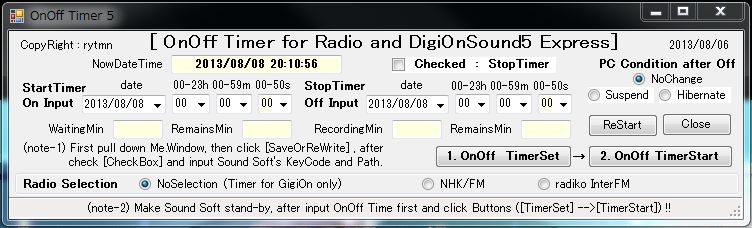
|
| (追加部) |
| ・Radio Selection 追加 → GroupBox を設け。この中に NHK/FM と radiko InterFM が選択出来るように RadioButtn を設置。( [B]
Tips Collection の 4.ツール e) RadioButton
の複数選択と GroupBox 参照) |
|
下部非表示部 |
|
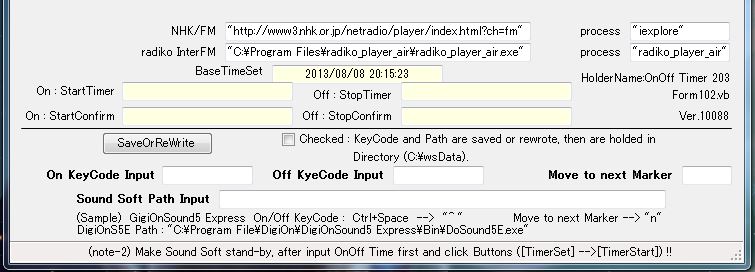
|
| (追加部) |
| ・上部2段に NHK/FM と radiko InterFM の fullpath と process を追加。 この記述は 追加TextBox のプロパティに直接記述してある。 将来的には keyCodeと同様に HDDに記録させ 読込むようにするつもりだ。 |
| ・Move to next
Marker → 録音後、次の録音が可能になるように、カーソルを 次のマーカーに移動させるための ShortCut Key "n" の入力 TextBox です。 GigiOnSound5 に特有な ShortCut Key と思われる。 |
|
|
追加プログラム・コード
|
| カーソルを次のマーカーに移動(移動しないと前録音の上に次の録音が上書きされるので前録音を残すためマーカーの移動が必要) |
| ・Private Sub
Button5 に "n" の 入出力、書き込み プログラムを書き込む。 その上で Private
Sub Timer4 の SendKeys.SendWait(Toff) の直後に 下記記述する。 |
'下追加
-----カーソル移動 2013/07/21
Console.Beep(494, 500)
Dim nMarker As String = Me.TextBox9.Text
SendKeys.Send(nMarker) ' "n"
'上追加-----カーソル移動 |
| . |
| 録音スタンバイ |
| ・マーカー異動後、もう一度 KeyCode "^ " を送る。 これは DigiOnSound5 を調べて発見したもので、マニアルには記載されていない。 Private
Sub Timer4 の System.Threading.Thread.Sleep(1000) の直後に記述する。 これによりDigiOnSound5 のコントローラー 録音● が点灯しスタンバイとなる。 |
'=====録音スタンバイ
SendKeys.SendWait(Toff) ' "^ "
'=====録音スタンバイ |
| . |
| ラジオ局の起動(開く) |
| ・Private Sub Timer3 の SendKey.SendWait(Ton) の後に下記を追加。 Goto
bbbb にラベル cccc: を追加すること。 |
'*****ラジオ起動*******
Dim RD11, RD21 As String
RD11 = TextBox11.Text
RD21 = TextBox13.Text
If RadioButton6.Checked = True Then GoTo cccc
If RadioButton4.Checked = True Then
System.Diagnostics.Process.Start(RD11)
GoTo cccc
End If
If RadioButton5.Checked = True Then
System.Diagnostics.Process.Start(RD21)
GoTo cccc
End If
System.Threading.Thread.Sleep(2000)
'*****ラジオ起動*******
cccc: Goto bbbb |
| . |
| ラジオ局の停止(閉じる) |
| ・Private Sub Timer4 の If
alarm=format(Date.now, ----) Then の直後に下記を追加する。 また Dim
aaaaID As Integer の前に ラベル dddd: を追加すること。 |
| ・本来なら "iexplore" を RD12、"radiko_player_air" を RD22 とすべきであるが、動作しないため 直接に プロセス名 を書いています。(不具合の原因調査中) |
'*****ラジオ停止*******
Dim RD12, RD22 As String
RD12 = TextBox12.Text
RD22 = TextBox14.Text
If RadioButton6.Checked = True Then GoTo dddd
If RadioButton4.Checked = True Then
Dim ps As
System.Diagnostics.Process() =
System.Diagnostics.Process.GetProcessesByName("iexplore")
For Each p As System.Diagnostics.Process In ps
p.Kill()
Next
GoTo dddd
End If
If RadioButton5.Checked = True Then
Dim ps As System.Diagnostics.Process() =
System.Diagnostics.Process.GetProcessesByName ("radiko_player_air")
For Each p As System.Diagnostics.Process In ps
p.Kill()
Next
GoTo dddd
End If
System.Threading.Thread.Sleep(2000)
'*****ラジオ停止*******
dddd: Dim aaaaID As Integer |
| . |
| ・ラジオ局の起動停止については [B]
Tips Collection の 3.文法 と Tips h)
他のプロセス(URL、exe)の起動と停止 参照) |
|
|
|
.
|
|
.
|
|
8.7.を サウンドソフトもコントロールする統合タイマー に改造
|
|
.
|
|
7.の OnOff Timer for Radio and DigiOnSound5 Express ではラジオ局選択と異なるラジオ局の継続録音が出来るようになったが、サウンドソフト:DigiOnSound5 Express はあくまで 手動で開き、設定作業が必要であり 煩わしい。
|
|
DigiOnの機能を調査したところ タイマー側からDigiOn 起動停止、録音スタンバイ設定、録音終了後の処理 等が出来そうなことが分かったので タイマー側にてDigiOnをコントロールすべく 改造に取り組んだ。 当然 異なるラジオ局の継続録音 も出来るようにしなければならない。
|
|
この改造結果から 下記のウインドウ通常表示画面により サウンドソフト起動停止とラジオ局選択 全てが操作できるようになり、録音が楽になった。 また 連続録音の場合は 同一画面をもう一つ立ち上げて、最初の画面と同様な設定をし、Addit’al Recording にチェックを入れて 1.**Set→2.**Start ボタンを押せば 新しいサウンド・ウインドウが開きその上に新録音(継続録音)が出来る。 これで求めていた 録音タイマーが完成 したと言える。 使いながらサウンドソフトとネットラジオ開閉のタイミングをチューニングする予定です。
|
|
汎用プログラムを目指したが、サウンドソフト特有の操作を組み込まねばならず、DigiOn専用のプログラムとなり残念であるが、これを参考に 他サウンドソフトのプログラムを開発に役に立ていただければ幸いです。
|
|
.
|
|
Control Timer for DigionSound5 Express and
NetRadio |
|
ウインドウ通常表示画面 |
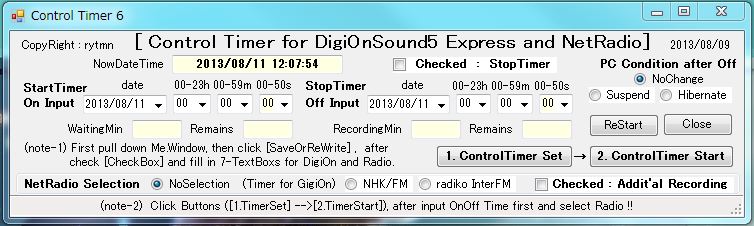 |
| (追加部) |
| ・CheckButton:Addit’al Recording → 異なるラジオ局の継続録音を可能にするため 最初の録音でDigiOnを開けば、2回目以降の録音では開く必要ないので この選択のため Radio
Selection の中に CheckButton(Additional Recording) を設ける。 |
| . |
|
下部非表示部 |
|
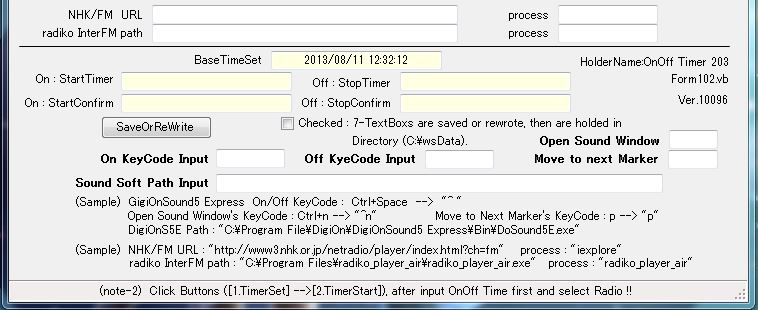
|
| (追加部) |
| ・DigiOnを開く → [B]
Tips Collection の 3.文法 と Tips h)
他のプロセス(URL、exe)の起動と停止(開くと閉じる)
を利用する。 |
| ・TextBox:Open Sound
Window(新規作成:Ctrl+N → "^n") → DigiOnを開いた後に 新規作成で サウンド・ウインドウを開かねばならない。 このKeyCodeを入れるTextBoxです。 |
| ・TextBox:Move to next
Marker "n"(後) を "p"(前) に変更する。 後への移動から、前への移動に変更する。 |
| ・NHK/FM、radiko の URL、exe、process は 他と同様 HDDに記憶、TextBoxに書出しさせることに改良した。 HDD記憶は Private Sub Button5、書出しは Private Sub Button1 の前例を参考に コーディングして下さい。 |
| . |
|
|
追加プログラム・コード |
| 連続録音の場合の操作:CheckButton:Addit’al Recording |
| ・Private Sub Timer3 の If alarm =
Format(Date.Now, "yyyyMMddHHmmss") Then ~ SendKeys.SendWait(Ton) 間を 下記のとうり書き直す。 |
| . |
| Dim appPath As String = Me.TextBox21.Text 'DigiOnのフルパス
'-----First録音時には GigiOnSound5を開く----------
'-----Next録音時では 開くをパス する-------------
If CheckBox3.Checked = True Then
GoTo eeee
Else
'Dim aaaaID As Integer 'これでも開くが遅い?ようだ
'aaaaID = Shell(appPath,
AppWinStyle.NormalFocus)
System.Diagnostics.Process.Start(appPath)
System.Threading.Thread.Sleep(5000) '開く時間として5sec取る
End If
'-----サウンド・ウインドウの新規作成(N)-----------------
eeee: Dim SWopen As String = Me.TextBox15.Text
SendKeys.SendWait(SWopen) ' "^n"
System.Threading.Thread.Sleep(500)
'-----録音をスタンバイにする-----------------------------
SendKeys.SendWait(Ton)
System.Threading.Thread.Sleep(500)
'-------------------------------------------------------- |
| . |
| 録音スタンバイ |
| ・7.4.を ラジオ局選択付タイマー に改造 において追加したコードを 消去
または 先頭に ' を付けて無能化して下さい。 |
'=====録音スタンバイ
'SendKeys.SendWait(Toff) ' "^ " ← 消去 または 無能化
'=====録音スタンバイ |
| . |
|
現時点の最終主要部分コード 2013/08/11 |
| . |
| Private Sub Timer3
の全コード |
Private Sub Timer3_Tick(ByVal sender As System.Object, ByVal e As System.EventArgs) Handles Timer3.Tick
TextBox3.Text = Format(Date.Now, "yyyy/MM/dd HH:mm:ss") '時刻表示
'録音開始------------------------
Dim H3 As String = ComboBox1.SelectedItem '待ち時間入力
Dim M4 As String = ComboBox2.SelectedItem '待ち分入力
Dim S9 As String = ComboBox5.SelectedItem '待ち秒入力
Dim D1 As String = CDate(DateTimePicker1.Text) '待ち日入力
Dim DD1 As String = Format(CDate(DateTimePicker1.Text), "yyyyMMdd")
If CheckBox1.Checked = True Then GoTo aaaa
'残り秒表示
Dim baseT As String = TextBox2.Text
Dim alarmT As String
alarmT = D1 & " " & H3 & ":" & M4 & ":" & S9
Static SS As Integer
SS = SS + 1
Dim diffSec1
diffSec1 = DateDiff("s", baseT, alarmT)
TextBox5.Text = Format(diffSec1 / 60, "0.0")
TextBox6.Text = Format((Val(diffSec1) - SS) / 60, "0.0")
'録音開始時刻Format
Dim alarm As String
alarm = DD1 & H3 & M4 & S9
'Softのactivate & 録音Beep & Key操作
Dim Ton As String = Me.TextBox20.Text
Dim appPath As String = Me.TextBox21.Text
If alarm = Format(Date.Now, "yyyyMMddHHmmss") Then
'下追加
Console.Beep(262, 300)
Console.Beep(294, 300)
Console.Beep(330, 300)
Console.Beep(349, 1000)
'上追加
'-----First録音時には GigiOnSound5を開く----------
'-----Next録音時では 開くを実行 しない-----------
If CheckBox3.Checked = True Then
GoTo eeee
Else
'Dim aaaaID As Integer 'これでも起動するが遅い?ようだ
'aaaaID = Shell(appPath, AppWinStyle.NormalFocus)
System.Diagnostics.Process.Start(appPath)
System.Threading.Thread.Sleep(5000) '起動確実のため5sec余裕を取る
End If
'--------------------------------------------------
eeee: Dim aaaaID As Integer 'Digion Activate
'起動確実のため activate を入れた
aaaaID = Shell(appPath, AppWinStyle.NormalFocus)
'--------------------------------------------------
System.Threading.Thread.Sleep(1000) '1sec余裕を持たせた
'-----サウンド・ウインドウの新規作成(N)-----------------
Dim SWopen As String = Me.TextBox15.Text
SendKeys.SendWait(SWopen) ' "^n"
System.Threading.Thread.Sleep(500)
'-----録音をスタンバイにする-----------------------------
SendKeys.SendWait(Ton)
System.Threading.Thread.Sleep(500)
'--------------------------------------------------------
'録音を開始する
SendKeys.SendWait(Ton)
Me.TextBox10.Text = "Start SendKeys(KeyCode)"
Console.Beep(392, 1000)
'SendKeys.SendWait("{^}{vbKeySpace}")
'SendKeys.Send("^{SPACE}")
'SendKeys.SendWait("vbKeyControl,vbKeySpace")
System.Threading.Thread.Sleep(3000)
'*****ラジオ起動*******
Dim RD11, RD21 As String
RD11 = Me.TextBox11.Text
RD21 = Me.TextBox13.Text
If RadioButton6.Checked = True Then GoTo cccc
If RadioButton4.Checked = True Then
System.Diagnostics.Process.Start(RD11)
GoTo cccc
End If
If RadioButton5.Checked = True Then
System.Diagnostics.Process.Start(RD21)
GoTo cccc
End If
System.Threading.Thread.Sleep(1000)
'*****ラジオ起動*******
cccc: GoTo bbbb
'待機時間タイマー停止 と 録音開始タイマー起動
aaaa: TextBox5.Text = Format(0, "0.0")
TextBox6.Text = Format(0, "0.0")
bbbb: Me.Timer3.Stop()
Me.Timer4.Start()
Exit Sub
End If
End Sub
|
| . |
| Private Sub
Timer4 の全コード |
Private Sub Timer4_Tick(ByVal sender As System.Object, ByVal e As System.EventArgs) Handles Timer4.Tick
TextBox4.Text = Format(Date.Now, "yyyy/MM/dd HH:mm:ss") '時刻表示
'録音停止------------
Dim H11 As String = ComboBox3.SelectedItem '待ち時間入力
Dim M12 As String = ComboBox4.SelectedItem '待ち分入力
Dim S18 As String = ComboBox6.SelectedItem '待ち秒入力
Dim D2 As String = CDate(DateTimePicker2.Text) '待ち日入力
Dim DD2 As String = Format(CDate(DateTimePicker2.Text), "yyyyMMdd")
'残り秒表示
Dim baseT As String = TextBox2.Text
Dim alarmT As String
alarmT = D2 & " " & H11 & ":" & M12 & ":" & S18
Static SS As Integer
SS = SS + 1
Dim diffSec2, diffSec1
Dim diffSec11 As Integer
diffSec2 = DateDiff("s", baseT, alarmT)
diffSec1 = TextBox5.Text
diffSec11 = Val(diffSec1) * 60
TextBox7.Text = Format((Val(diffSec2) - diffSec11) / 60, "0.0")
TextBox8.Text = Format((Val(diffSec2) - diffSec11 - SS) / 60, "0.0")
'録音停止時刻一Format
Dim alarm, TT As String
alarm = DD2 & H11 & M12 & S18
TT = Format(Date.Now, "yyyyMMddHHmmss")
'録音 Beep & Key 操作
Dim Toff As String = Me.TextBox20.Text
Dim appPath As String = Me.TextBox21.Text
If alarm = Format(Date.Now, "yyyyMMddHHmmss") Then
Console.Beep(330, 300)
Console.Beep(294, 300)
Console.Beep(262, 1000)
'System.Threading.Thread.Sleep(500)
'*****ラジオ停止*******
Dim RD12, RD22 As String
RD12 = "iexplore" 'Me.TextBox12.Text 'TextBoxからの変数代入では閉じないので↓
RD22 = "radiko_player_air" 'Me.TextBox14.Text '↓process名を直接入れた。 原因不明
'MsgBox(RD12)
'MsgBox(RD22)
If RadioButton6.Checked = True Then GoTo dddd
If RadioButton4.Checked = True Then
Dim ps As System.Diagnostics.Process() = System.Diagnostics.Process.GetProcessesByName(RD12) ' "iexplore"
For Each p As System.Diagnostics.Process In ps
p.Kill()
Next
GoTo dddd
End If
If RadioButton5.Checked = True Then
Dim ps As System.Diagnostics.Process() = System.Diagnostics.Process.GetProcessesByName(RD22) ' "radiko_player_air"
For Each p As System.Diagnostics.Process In ps
p.Kill()
Next
GoTo dddd
End If
System.Threading.Thread.Sleep(1000)
'*****ラジオ停止*******
dddd: Dim aaaaID As Integer
aaaaID = Shell(appPath, AppWinStyle.NormalFocus)
'下追加
System.Threading.Thread.Sleep(500)
aaaaID = Shell(appPath, AppWinStyle.NormalFocus)
'上追加
'録音を停止する
System.Threading.Thread.Sleep(500)
SendKeys.SendWait(Toff) ' "^ "
'-----カーソル移動 2013/07/21
System.Threading.Thread.Sleep(500)
Dim nMarker As String = Me.TextBox9.Text
SendKeys.Send(nMarker) ' "p" ( "n"は後、"p"は前)
'-----カーソル移動
Me.TextBox17.Text = "Stop SendKeys(KeyCode)"
'SendKeys.SendWait("{^}{vbKeySpace}")
'SendKeys.Send("^{SPACE}")
'SendKeys.SendWait("vbKeyControl,vbKeySpace")
Me.Timer4.Stop()
System.Threading.Thread.Sleep(1000)
'=====録音スタンバイ
'SendKeys.SendWait(Toff) ' "^ " ' 7.→8.への変更で不要となるので無効化した(削除も可)
'=====録音スタンバイ
'録音終了後の PC Condition
If RadioButton1.Checked = True Then
Application.SetSuspendState(PowerState.Suspend, False, False) 'スタンバイ状態にする
End If
If RadioButton2.Checked = True Then
Application.SetSuspendState(PowerState.Hibernate, False, False) '休止状態にする
End If
End If
End Sub |
| . |
|
|
|
.
|
|
.
|
|
9.8.を FM局(11局)を単独選択可能な統合タイマーに改造
建設中 |
|
NHK/FM:1→4局、radiko/FM:1→7局 計2→11局選択可能とする。 NHKは東京だけであったが仙台、名古屋、大阪を追加し4局、radikoはガゼットからの選局であったため任意の局が選定できなかったが、全てのFM 6局+Option の計7局が任意に選択できるように改造する。 一般ラジオ放送はステレオでなく音質も悪いため録音の必要性はほとんどないので省き、FM専用とする。 |
a. 汎用サウンドソフト対象から DigiOnSound5E に特化したプログラムとする。
理由は他サウンドソフトの仕様が不明のため汎用化する意味なしと判断。 |
b. FM局の開いたウインドウがDigiOnに重なり目障りになるため、FM局ウインドウの
最小化コードを追加する。 |
|
c. NHK/FM 東京 仙台 名古屋 大坂 (4局) |
radiko/FM interFM J-WAVE TOKYO FM
FMヨコハマ bayfm78 NACK5
Option (7局) |
d. 将来、有料の radikoプレミアム(FM24局) 加入の場合、プログラム改造に
より対応する。(現在未対応) |
|
|
| Control Timer on
DigiOnSound5 Express & NetRadio |
|
ウインドウ通常表示画面
|
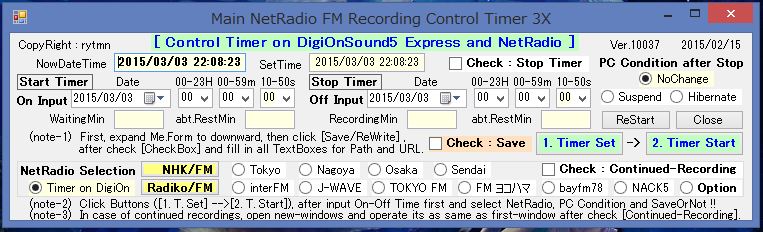 |
| 下部非表示部 |
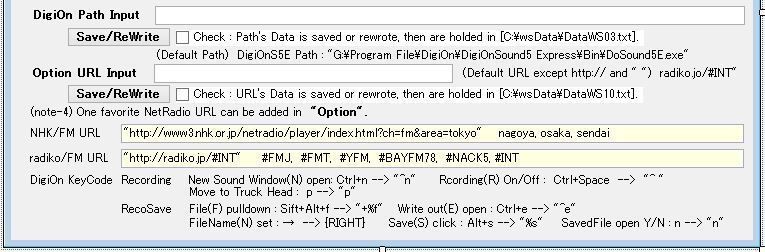 |
| |
| <現在試用中につき 完成を待って コード公開予定。> |
| 特徴 |
| 1. IEの全開オープン を CreateObject("InternetExplorer.Application") を使って、サイズ(300x500dot)や表示項目(ツールやメニューバー廃止)を替える。 これにより 開いている他のHPに悪影響を与えなくなる。 青表示部分、また注釈を参照のこと |
| 2. 録音データはメモリ内保存であったが、安全のためHDDへ保存することに変更。 |
| |
|
|
Public Class Form1
Private objIE As
SHDocVw.InternetExplorer
' ソリューウションの参照設定→参照の追加→COM内のMS
internet Controls、MS HTML Object Library へcheckを入れる
Private Declare Function
SetForegroundWindow Lib "user32" (ByVal hWnd As IntPtr) As
Boolean ' IE画面を最前列にするための宣言
----------------------
Private Sub Form1_Load(sender As Object,
e As EventArgs) Handles MyBase.Load
Me.StartPosition =
System.Windows.Forms.FormStartPosition.Manual
Me.Location = New
System.Drawing.Point(0, 0)
RadioButton3.Checked = True
RadioButton6.Checked = True
With ComboBox1
.Items.Add("00")
.Items.Add("01")
.Items.Add("02")
.Items.Add("03")
.Items.Add("04")
.Items.Add("05")
.Items.Add("06")
.Items.Add("07")
.Items.Add("08")
.Items.Add("09")
.Items.Add("10")
.Items.Add("11")
.Items.Add("12")
.Items.Add("13")
.Items.Add("14")
.Items.Add("15")
.Items.Add("16")
.Items.Add("17")
.Items.Add("18")
.Items.Add("19")
.Items.Add("20")
.Items.Add("21")
.Items.Add("22")
.Items.Add("23")
'.BackColor = Color.PowderBlue
'.Font = New Font("MS Pゴシック",
12)
.Text = "00" 'テキストボックスに最初に表示して置く項目を設定
End With
With ComboBox2
.Items.Add("00")
.Items.Add("01")
.Items.Add("02")
.Items.Add("03")
.Items.Add("04")
.Items.Add("05")
.Items.Add("06")
.Items.Add("07")
.Items.Add("08")
.Items.Add("09")
.Items.Add("10")
.Items.Add("11")
.Items.Add("12")
.Items.Add("13")
.Items.Add("14")
.Items.Add("15")
.Items.Add("16")
.Items.Add("17")
.Items.Add("18")
.Items.Add("19")
.Items.Add("20")
.Items.Add("21")
.Items.Add("22")
.Items.Add("23")
.Items.Add("24")
.Items.Add("25")
.Items.Add("26")
.Items.Add("27")
.Items.Add("28")
.Items.Add("29")
.Items.Add("30")
.Items.Add("31")
.Items.Add("32")
.Items.Add("33")
.Items.Add("34")
.Items.Add("35")
.Items.Add("36")
.Items.Add("37")
.Items.Add("38")
.Items.Add("39")
.Items.Add("40")
.Items.Add("41")
.Items.Add("42")
.Items.Add("43")
.Items.Add("44")
.Items.Add("45")
.Items.Add("46")
.Items.Add("47")
.Items.Add("48")
.Items.Add("49")
.Items.Add("50")
.Items.Add("51")
.Items.Add("52")
.Items.Add("53")
.Items.Add("54")
.Items.Add("55")
.Items.Add("56")
.Items.Add("57")
.Items.Add("58")
.Items.Add("59")
'.BackColor = Color.PowderBlue
'.Font = New
Font("MS Pゴシック", 12)
.Text = "00" 'テキストボックスに最初に表示して置く項目を設定
End With
With ComboBox3
.Items.Add("00")
.Items.Add("01")
.Items.Add("02")
.Items.Add("03")
.Items.Add("04")
.Items.Add("05")
.Items.Add("06")
.Items.Add("07")
.Items.Add("08")
.Items.Add("09")
.Items.Add("10")
.Items.Add("11")
.Items.Add("12")
.Items.Add("13")
.Items.Add("14")
.Items.Add("15")
.Items.Add("16")
.Items.Add("17")
.Items.Add("18")
.Items.Add("19")
.Items.Add("20")
.Items.Add("21")
.Items.Add("22")
.Items.Add("23")
'.BackColor =
Color.PowderBlue
'.Font = New Font("MS Pゴシック", 12)
.Text =
"00" 'テキストボックスに最初に表示して置く項目を設定
End With
With ComboBox4
.Items.Add("00")
.Items.Add("01")
.Items.Add("02")
.Items.Add("03")
.Items.Add("04")
.Items.Add("05")
.Items.Add("06")
.Items.Add("07")
.Items.Add("08")
.Items.Add("09")
.Items.Add("10")
.Items.Add("11")
.Items.Add("12")
.Items.Add("13")
.Items.Add("14")
.Items.Add("15")
.Items.Add("16")
.Items.Add("17")
.Items.Add("18")
.Items.Add("19")
.Items.Add("20")
.Items.Add("21")
.Items.Add("22")
.Items.Add("23")
.Items.Add("24")
.Items.Add("25")
.Items.Add("26")
.Items.Add("27")
.Items.Add("28")
.Items.Add("29")
.Items.Add("30")
.Items.Add("31")
.Items.Add("32")
.Items.Add("33")
.Items.Add("34")
.Items.Add("35")
.Items.Add("36")
.Items.Add("37")
.Items.Add("38")
.Items.Add("39")
.Items.Add("40")
.Items.Add("41")
.Items.Add("42")
.Items.Add("43")
.Items.Add("44")
.Items.Add("45")
.Items.Add("46")
.Items.Add("47")
.Items.Add("48")
.Items.Add("49")
.Items.Add("50")
.Items.Add("51")
.Items.Add("52")
.Items.Add("53")
.Items.Add("54")
.Items.Add("55")
.Items.Add("56")
.Items.Add("57")
.Items.Add("58")
.Items.Add("59")
'.BackColor = Color.PowderBlue
'.Font = New Font("MS Pゴシック",
12)
.Text = "00" 'テキストボックスに最初に表示して置く項目を設定
End With
With ComboBox5
.Items.Add("00")
.Items.Add("10")
.Items.Add("20")
.Items.Add("30")
.Items.Add("40")
.Items.Add("50")
'.BackColor = Color.PowderBlue
'.Font = New
Font("MS Pゴシック", 12)
.Text = "00" 'テキストボックスに最初に表示して置く項目を設定
End With
With ComboBox6
.Items.Add("00")
.Items.Add("10")
.Items.Add("20")
.Items.Add("30")
.Items.Add("40")
.Items.Add("50")
'.BackColor =
Color.PowderBlue
'.Font = New Font("MS Pゴシック", 12)
.Text =
"00" 'テキストボックスに最初に表示して置く項目を設定
End With
'現在・設定時Format
'Me.TextBox1.Text = Format(Date.Now, "yyyy/MM/dd HH:mm:ss")
'Me.TextBox2.Text = Format(Date.Now, "yyyy/MM/dd HH:mm:ss")
'Me.TextBox3.Text = Format(Date.Now, "yyyy/MM/dd HH:mm:ss")
'Me.TextBox4.Text = Format(Date.Now, "yyyy/MM/dd HH:mm:ss")
'インターバル(ms)
Me.Timer1.Interval = 1000
Me.Timer2.Interval = 1000
Me.Timer3.Interval = 998 '996
Me.Timer4.Interval = 998 '996
'現在時刻タイマーT1 & 設定時刻タイマーT2 ON
Me.Timer1.Start()
Me.Timer2.Start()
'Me.Timer3.Start()
'Me.Timer4.Start()
'年月日のFormat
DateTimePicker1.Format =
DateTimePickerFormat.Custom
DateTimePicker1.CustomFormat =
"yyyy/MM/dd"
DateTimePicker2.Format =
DateTimePickerFormat.Custom
DateTimePicker2.CustomFormat =
"yyyy/MM/dd"
End Sub
---------------------------------
Private Sub Timer1_Tick(sender As Object, e As EventArgs) Handles
Timer1.Tick
'現在時刻を表示
Me.TextBox1.Text = Format(Date.Now,
"yyyy/MM/dd HH:mm:ss")
End Sub
---------------------------------
Private Sub
Timer2_Tick(sender As Object, e As EventArgs) Handles Timer2.Tick
'設定時刻を表示
Me.TextBox2.Text = Format(Date.Now, "yyyy/MM/dd
HH:mm:ss")
End Sub
---------------------------------
'Beep宣言(周波数・秒数)
Public Declare Function Beep Lib "kernel32"
(ByVal dwFreq As Long, ByVal dwDuration As Long) As Long
'Console.Beep(262, 400) ' ド
'Console.Beep(294, 400) ' レ
'Console.Beep(330, 400) ' ミ
'Console.Beep(349, 400) ' ファ
'Console.Beep(392, 400) ' ソ
'Console.Beep(440, 400) ' ラ
'Console.Beep(494, 400) ' シ
'Console.Beep(523, 400) ' ド
'--------------------------------------------------------------------
Private Sub Timer3_Tick(sender As Object, e As EventArgs)
Handles Timer3.Tick
'TextBox3.Text = Format(Date.Now,
"yyyy/MM/dd HH:mm:ss") '時刻表示
'録音開始------------------------
Dim H3 As String = ComboBox1.SelectedItem '待ち時間入力
Dim M4 As
String = ComboBox2.SelectedItem '待ち分入力
Dim S9 As String =
ComboBox5.SelectedItem '待ち秒入力
Dim D1 As String =
CDate(DateTimePicker1.Text) '待ち日入力
Dim DD1 As String =
Format(CDate(DateTimePicker1.Text), "yyyyMMdd")
'Stop
Timerの分岐
If CheckBox1.Checked = True Then GoTo aaaa
'残り秒表示
Dim baseT As String = TextBox2.Text '******
Dim
alarmT As String
alarmT = D1 & " " & H3 & ":" & M4 & ":" & S9
'Dim diffS
'Dim nowDt As DateTime = DateTime.Now
'diffS
= DateDiff("s", baseT, nowDt)
Static SS As Integer
SS =
SS + 1
Dim diffSec1
diffSec1 = DateDiff("s", baseT,
alarmT)
TextBox5.Text = Format(diffSec1 / 60, "0.0")
TextBox6.Text = Format((Val(diffSec1) - SS) / 60, "0.0")
'録音開始時刻Format
Dim alarm As String
alarm = DD1 & H3 & M4 & S9
'Softのactivate & 録音Beep & Key操作
Dim Ton As String = "^ "
'Me.TextBox19.Text '"^ "
Dim appPath As String =
Me.TextBox21.Text
If alarm = Format(Date.Now,
"yyyyMMddHHmmss") Then
'下追加
Console.Beep(262, 300)
Console.Beep(294, 300)
Console.Beep(330, 300)
Console.Beep(349, 1000)
'上追加
'-----First録音時には DigiOnSound5を開く----------
'-----Continued録音時では 開くを実行 しない-----------
If CheckBox3.Checked
= True Then
GoTo eeee
Else
'Dim aaaaID As Integer
'aaaaID = Shell(appPath, AppWinStyle.NormalFocus)
System.Diagnostics.Process.Start(appPath)
System.Threading.Thread.Sleep(5000) '8000
End If
eeee:
Dim aaaaID As Integer 'Digion Activate
aaaaID = Shell(appPath,
AppWinStyle.NormalFocus)
'--------------------------------------------------
System.Threading.Thread.Sleep(1000)
'-----サウンド・ウインドウの新規作成(N)-----------------
Dim SWopen As String
= "^n" 'Me.TextBox15.Text ' "^n"
SendKeys.SendWait(SWopen)
System.Threading.Thread.Sleep(2000)
'-----録音をスタンバイにする-----------------------------
SendKeys.SendWait(Ton)
System.Threading.Thread.Sleep(1500)
'--------------------------------------------------------
'録音を開始する
SendKeys.SendWait(Ton)
Console.Beep(392, 1000)
System.Threading.Thread.Sleep(3000)
'IEの起動
objIE =
CreateObject("InternetExplorer.Application") 'オブジェクトを作成
'objIE.Navigate("") '空ページの表示 ("about:blank")
objIE.Visible =
True 'IEを表示 True 、 非表示 False
objIE.FullScreen = False
'※まぁ、わざわざ設定しなくてもいいけど。
objIE.Top = 200 'X座標
objIE.Left = 0
'Y座標
objIE.Width = 300 '幅
objIE.Height = 500 '高さ
objIE.ToolBar = False 'タブの切り替えで必要なので、ツールバーを表示にする
objIE.MenuBar
= False 'メニューは非表示にする
objIE.AddressBar = True 'URLなど
アドレスバーは確認のため、表示する
objIE.StatusBar = True '一番下のステータスバーを表示。
'objIE.Navigate("http://radiko.jp/#INT") : End ← IEを開くコマンド
'*****ラジオ起動*******
Dim RD11, RD12, RD13, RD14 As String
Dim RD21, RD22, RD23, RD24, RD25, RD26, RD27 As String
RD11 =
"http://www3.nhk.or.jp/netradio/player/index.html?ch=fm&area=tokyo"
'Me.TextBox11.Text
RD12 =
"http://www3.nhk.or.jp/netradio/player/index.html?ch=fm&area=nagoya"
RD13 =
"http://www3.nhk.or.jp/netradio/player/index.html?ch=fm&area=osaka"
RD14 =
"http://www3.nhk.or.jp/netradio/player/index.html?ch=fm&area=sendai"
RD21 = "http://radiko.jp/#INT"
RD22 = "http://radiko.jp/#FMJ"
RD23 = "http://radiko.jp/#FMT"
RD24 = "http://radiko.jp/#YFM"
RD25 = "http://radiko.jp/#BAYFM78"
RD26 =
"http://radiko.jp/#NACK5"
RD27 = TextBox3.Text
' radiko.jp/#INT 読み込んで代入する場合 http://と" "は不要(これは発見事項)
'MsgBox(RD27)
If RadioButton6.Checked = True Then GoTo cccc
'---------- NHK ---------------
If RadioButton4.Checked =
True Then : objIE.Navigate(RD11) : GoTo cccc
ElseIf
RadioButton13.Checked = True Then : objIE.Navigate(RD12) : GoTo
cccc
ElseIf RadioButton14.Checked = True Then :
objIE.Navigate(RD13) : GoTo cccc
ElseIf RadioButton15.Checked =
True Then : objIE.Navigate(RD14) : GoTo cccc
End If
'---------- NHK ---------------
'---------- radiko
------------
If RadioButton5.Checked = True Then :
objIE.Navigate(RD21) : GoTo cccc
ElseIf RadioButton7.Checked =
True Then : objIE.Navigate(RD22) : GoTo cccc
ElseIf
RadioButton8.Checked = True Then : objIE.Navigate(RD23) : GoTo
cccc
ElseIf RadioButton9.Checked = True Then :
objIE.Navigate(RD24) : GoTo cccc
ElseIf RadioButton10.Checked =
True Then : objIE.Navigate(RD25) : GoTo cccc
ElseIf
RadioButton11.Checked = True Then : objIE.Navigate(RD26) : GoTo
cccc
ElseIf RadioButton12.Checked = True Then :
objIE.Navigate(RD27) : GoTo cccc
End If
'---------- radiko
------------
'*****ラジオ起動*******
cccc:
SetForegroundWindow(objIE.HWND) ' IE画面を最前面に
OpenWebWait() ' IEが開くまで待つ
System.Threading.Thread.Sleep(5000)
SendKeys.SendWait("% ") 'IE画面最小化 サイズ変更画面 開く
System.Threading.Thread.Sleep(2000)
SendKeys.SendWait("n")
'IE画面最小化 最小化(N) nキー送り
'System.Threading.Thread.Sleep(2000)
'ダメ押し
'SendKeys.SendWait("n")
GoTo bbbb
aaaa:
TextBox5.Text = Format(0, "0.0")
TextBox6.Text = Format(0,
"0.0")
'待機時間タイマーT3停止 と 録音開始タイマーT4起動
bbbb:
Me.Timer3.Stop()
Me.Timer4.Start()
Exit Sub
End
If
End Sub
-----------------------------------------
Public Function OpenWebWait() As
Boolean ' IEが開くまで待つ
Try
'読み込み完了まで待つ
Do While
(objIE.Busy OrElse _
objIE.ReadyState <>
SHDocVw.tagREADYSTATE.READYSTATE_COMPLETE)
'無処理
System.Windows.Forms.Application.DoEvents()
System.Threading.Thread.Sleep(100)
Loop
Return True
Catch ex As Exception
Return False
End Try
End
Function
----------------------------------------
Private Sub
Button1_Click(sender As Object, e As EventArgs) Handles
Button1.Click
'ソフトの Path & URL のHDD呼び出し と TextBox への表示
Dim StartupPath, FullPath03, FullPath10 As String 'Dim FullPath As
String
StartupPath = "C:\wsData"
'Application.StartupPath 'FullPath = Application.ExecutablePath"
FullPath03 = (StartupPath & "\WSdata03.txt")
FullPath10 =
(StartupPath & "\WSdata10.txt")
TextBox21.Text =
IO.File.ReadAllText(FullPath03,
System.Text.Encoding.GetEncoding("Shift-JIS"))
TextBox3.Text =
IO.File.ReadAllText(FullPath10,
System.Text.Encoding.GetEncoding("Shift-JIS"))
'入力不足への警告
Dim H33 As String = Val(ComboBox1.SelectedItem)
Dim M44 As
String = Val(ComboBox2.SelectedItem)
Dim S99 As String =
Val(ComboBox5.SelectedItem)
Dim H111 As String =
Val(ComboBox3.SelectedItem)
Dim M122 As String =
Val(ComboBox4.SelectedItem)
Dim S188 As String =
Val(ComboBox6.SelectedItem)
If CheckBox1.Checked = False
And H33 = 0 And M44 = 0 And S99 = 0 And H111 = 0 And M122 = 0 And
S188 = 0 Then
MsgBox("A:Input WaitingTime & RecordingTime," +
vbCrLf + "then click TimeFix !!")
Application.Restart()
End
If
If CheckBox1.Checked = False And H111 = 0 And M122 = 0
And S188 = 0 Then
MsgBox("B:Input WaitingTime & RecordingTime,"
+ vbCrLf + "then click TimeFix !!")
Application.Restart()
End If
If CheckBox1.Checked = True And H111 = 0 And M122 =
0 And S188 = 0 Then
MsgBox("C:Input RecordingTime," + vbCrLf +
"then click TimeFix !!")
Application.Restart()
End If
'下追加
If CheckBox1.Checked = False And H33 = 0 And M44 = 0
And S99 = 0 Then
MsgBox("C:Check CheckBox & Input
RecordingTime," + vbCrLf + "then click TimeFix !!")
Application.Restart()
End If
'上追加
TextBox5.Text =
"ready"
TextBox6.Text = "ready"
TextBox7.Text = "ready"
TextBox8.Text = "ready"
End Sub
----------------------------------------
Private Sub
Button2_Click(sender As Object, e As EventArgs) Handles
Button2.Click
'設定時刻タイマーT2停止 と 待機時間T3タイマー起動
Me.Timer2.Stop()
Me.Timer3.Start()
'入力不足への警告
Dim H33
As String = Val(ComboBox1.SelectedItem)
Dim M44 As String =
Val(ComboBox2.SelectedItem)
Dim S99 As String =
Val(ComboBox5.SelectedItem)
Dim H111 As String =
Val(ComboBox3.SelectedItem)
Dim M122 As String =
Val(ComboBox4.SelectedItem)
Dim S188 As String =
Val(ComboBox6.SelectedItem)
If CheckBox1.Checked = False
And H33 = 0 And M44 = 0 And S99 = 0 And H111 = 0 And M122 = 0 And
S188 = 0 Then
MsgBox("A:Input WaitingTime & RecordingTime," +
vbCrLf + "then click TimeFix -->TimerStart !!")
Application.Restart()
End If
If CheckBox1.Checked =
False And H111 = 0 And M122 = 0 And S188 = 0 Then
MsgBox("B:Input WaitingTime & RecordingTime," + vbCrLf + "then
click TimeFix -->TimerStart !!")
Application.Restart()
End
If
If CheckBox1.Checked = True And H111 = 0 And M122 = 0
And S188 = 0 Then
MsgBox("C:Input RecordingTime," + vbCrLf +
"then click TimeFix -->TimerStart !!")
Application.Restart()
End If
End Sub
-------------------------------------
Private Sub Timer4_Tick(sender As Object, e As EventArgs) Handles
Timer4.Tick
'TextBox4.Text = Format(Date.Now, "yyyy/MM/dd
HH:mm:ss") '時刻表示
'録音停止------------
Dim H11 As String =
ComboBox3.SelectedItem '待ち時間入力
Dim M12 As String =
ComboBox4.SelectedItem '待ち分入力
Dim S18 As String =
ComboBox6.SelectedItem '待ち秒入力
Dim D2 As String =
CDate(DateTimePicker2.Text) '待ち日入力
Dim DD2 As String =
Format(CDate(DateTimePicker2.Text), "yyyyMMdd")
'残り秒表示
Dim baseT2 As String = TextBox2.Text '*****
Dim alarmT2 As
String
alarmT2 = D2 & " " & H11 & ":" & M12 & ":" & S18
'Dim diffS2
'Dim nowDt2 As DateTime = DateTime.Now
'diffS2 =
DateDiff("s", baseT2, nowDt2)
Static SS As Integer
SS =
SS + 1
Dim diffSec2, diffSec1
Dim diffSec11 As Integer
diffSec2 = DateDiff("s", baseT2, alarmT2)
diffSec1 =
TextBox5.Text
diffSec11 = Val(diffSec1) * 60
TextBox7.Text = Format((Val(diffSec2) - diffSec11) / 60, "0.0")
TextBox8.Text = Format((Val(diffSec2) - diffSec11 - SS) / 60,
"0.0")
'録音停止時刻一Format
Dim alarm, TT As String
alarm =
DD2 & H11 & M12 & S18
TT = Format(Date.Now, "yyyyMMddHHmmss")
'録音 Beep & Key 操作
Dim Toff As String = "^ "
'Me.TextBox20.Text
Dim appPath As String = Me.TextBox21.Text
If alarm = Format(Date.Now, "yyyyMMddHHmmss") Then
Console.Beep(330, 300)
Console.Beep(294, 300)
Console.Beep(262, 1000)
'System.Threading.Thread.Sleep(500)
'*****ラジオ停止*******
If RadioButton6.Checked = False Then
'閉じるのに少し時間がかかる 他のウインドウに影響を与えない
If Not objIE Is Nothing Then
objIE.Quit()
objIE = Nothing
End If
End If
System.Threading.Thread.Sleep(1000)
'*****ラジオ停止*******
dddd: Dim aaaaID As Integer
aaaaID = Shell(appPath,
AppWinStyle.NormalFocus)
'下追加
System.Threading.Thread.Sleep(500)
aaaaID = Shell(appPath,
AppWinStyle.NormalFocus)
'上追加
'録音を停止する
System.Threading.Thread.Sleep(500)
SendKeys.SendWait(Toff) ' "^
"
'-----カーソル移動 2013/07/21
System.Threading.Thread.Sleep(500)
Dim nMarker As String = "p"
' "p" ( "n"は後、"p"は前)
SendKeys.SendWait(nMarker)
'-----カーソル移動
Me.Timer4.Stop()
System.Threading.Thread.Sleep(2000)
If CheckBox5.Checked = True Then
'aaaaID =
Shell(appPath, AppWinStyle.NormalFocus)
'=====録音保存 以前からのプログラムに 保存 を追加する
Dim FF1 As String = "+%f"
SendKeys.SendWait(FF1)
'ファイル(F)をプルダウン Sift+Alt+f
System.Threading.Thread.Sleep(1000)
Dim EE1 As String = "^e"
'MsgBox(EE1)
SendKeys.SendWait(EE1) '書き出し(E)を開く Ctrl+e
System.Threading.Thread.Sleep(1000)
SendKeys.SendWait("{RIGHT}") 'ファイル名確定 →
System.Threading.Thread.Sleep(1000)
SendKeys.SendWait("%s")
'ファイル保存 Alt+s
'System.Threading.Thread.Sleep(1000)
'*******ページの読み込みが終わるまでココでグルグル回る***************
'Dim サウンド1 As New Object
'Do Until サウンド1.Save.Busy = False
'空ループだと無駄にCPUを使うので250ミリ秒のインターバルを置く
'System.Threading.Thread.Sleep(250)
'Loop
' このプログラム不可のため 直下のものに変更
'********************************************************************
'----------保存終了するまで 停止動作 を待たせる
Dim recoT1 As Integer =
TextBox7.Text 'min
Dim saveW1 As Integer = (recoT1 / 60) * 60 *
1000 'sec*1000
System.Threading.Thread.Sleep(saveW1)
'-----------------------------------------------
'=====録音保存
Else : GoTo
kkkk
End If
System.Threading.Thread.Sleep(2000)
SendKeys.SendWait("n") '保存ファイルを開かない n
System.Threading.Thread.Sleep(1000)
kkkk:
'録音終了後の PC Condition
System.Threading.Thread.Sleep(5000)
If
RadioButton1.Checked = True Then
Application.SetSuspendState(PowerState.Suspend, False, False)
'スタンバイ状態にする
End If
If RadioButton2.Checked = True Then
Application.SetSuspendState(PowerState.Hibernate, False, False)
'休止状態にする
End If
End If
End Sub
-----------------------------------
Private Sub
Button3_Click(sender As Object, e As EventArgs) Handles
Button3.Click
End
End Sub
-----------------------------------
Private Sub
Button4_Click(sender As Object, e As EventArgs) Handles
Button4.Click
Application.Restart()
End Sub
-----------------------------------
Private Sub
Button5_Click(sender As Object, e As EventArgs) Handles
Button5.Click
'ソフトの DigiOn Path のHDD保存、書き換え
Dim StartupPath,
FullPath03 As String 'Dim FullPath As String FullPath =
Application.ExecutablePath MsgBox(FullPath)
StartupPath =
"C:\wsData" 'Application.StartupPath
System.IO.Directory.CreateDirectory(StartupPath)
FullPath03
= (StartupPath & "\WSdata03.txt")
If CheckBox2.Checked =
True Then
Dim sw03 As System.IO.StreamWriter
sw03 = New
System.IO.StreamWriter(FullPath03, False,
System.Text.Encoding.GetEncoding("Shift-JIS")) ',
System.Text.Encodeing("shift-jis")Test
sw03.Write(TextBox21.Text)
sw03.Close()
CheckBox2.Checked = False
End If
End Sub
-----------------------------------------
Private Sub
Button6_Click(sender As Object, e As EventArgs) Handles
Button6.Click
'ソフトの Option URL のHDD保存、書き換え
Dim StartupPath,
FullPath10 As String 'Dim FullPath As String FullPath =
Application.ExecutablePath MsgBox(FullPath)
StartupPath =
"C:\wsData" 'Application.StartupPath
'System.IO.Directory.CreateDirectory(StartupPath)
FullPath10 = (StartupPath & "\WSdata10.txt")
If
CheckBox4.Checked = True Then
Dim sw10 As
System.IO.StreamWriter
sw10 = New
System.IO.StreamWriter(FullPath10, False,
System.Text.Encoding.GetEncoding("Shift-JIS")) ',
System.Text.Encodeing("shift-jis")Test
sw10.Write(TextBox3.Text)
sw10.Close()
CheckBox4.Checked
= False
End If
End Sub
------------------------------------
Private Sub
GroupBox1_Enter(sender As Object, e As EventArgs) Handles
GroupBox1.Enter
End Sub
------------------------------------
Private Sub
Button7_Click(sender As Object, e As EventArgs) Handles
Button7.Click
System.Diagnostics.Process.Start("http://www.nhk.or.jp/fm/")
End Sub
------------------------------------
Private Sub
Button8_Click(sender As Object, e As EventArgs) Handles
Button8.Click
System.Diagnostics.Process.Start("http://radiko.jp/")
End Sub
------------------------------------
End Class
|
| |
| |
|
|
. |
|
. |
|
10.NetRadio FM Player 作成 |
|
NetRadioFM局はNHKとRadikoの10局以外にも CSRAグループの約120局、JCBAグループの54局あることがわかり、前記 NetRadioRecordingControlTimer8 にこれ等を組み込もうと考え、先ず放送が聴けるだけの Player だけを作ってみることにした。 CRSA&JCBAのリンク先 約120+54局 を調べた結果、CRSAはWMP(1局のみIE、他1局はJavaであり、Javaは開けず除外する。)、JCBAはIE(NHKとRadikoはIE)で開かなければならないことが分かった。 |
|
a. CRSAとJCBAの選択には RadioButton+ComboBox を使うことにした。 |
|
b. 開いた WMPとIE は目障りなので タスクバーにアイコンで入れる。 |
|
c. 開いて聴いている局から次の局に移る場合、選局後 ワンクリック で変更 |
|
可能とする。 |
|
d. NHKとRadikoも組込むが、RadioButtonによるダイレクト選局とする。 |
|
現在試用中であるが、CRSA&JCBAはタイマー録音することは殆ど考えられないことに気づき、NetRadioRecordingControlTimer8 に組み込むことは止めにし、NetRadio
FM Player としてのみ使用することにした。 → タイマー録音にも取り組む予定。 |
|
. |
| NetRadio FM Player 8 |
| 操作ウインドウ画面 |
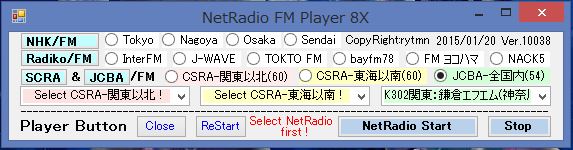 |
| . |
| . |
|
|
実行プログラムを 無償で MS OneDrive にて公開しているので 下記URLにアクセスして ダウンロードしてください。 現在 Win7のノートPCとWin8.1のデッスクトップPCにて使用中ですが、ダウンロード以降は自己責任で行ってください。 |
|
|
|
|
|
https://onedrive.live.com/redir?resid=3411B13798CA82DC%213238 |
|
|
|
使用条件 |
|
|
プログラム |
MS Visual Studio 2013 |
Windows8.1にて開発 |
|
|
動作OS |
Windowes |
7 、 8.1 |
確認済 |
|
|
|
必要Soft |
MS
.NET Framework 4.5 が必要 |
|
|
|
|
MS Internet
Explore が必要 |
|
|
|
|
MS Window
Meadia Player が必要 |
|
|
|
ファイル構成 |
|
|
NetRadioFMPlayer8.application |
|
アプリケーション・ファイル |
|
|
setup.exe |
|
|
|
実行ファイル |
|
|
NetRadioFMPlayer8 manual.xlsx |
|
説明書 |
|
|
|
インストール方法 |
|
作成ホルダーに 3個のファイルをダウンロードする。 |
|
ホルダー内 setup.exe を右クリックし、setup.exe-ショートカット を作成する。 |
|
setup.exe-ショートカット を DeskTop にコピーし、アイコンを作る。 |
|
アイコン をクリックすると NetRadioFMPlayer8の操作ウインドウ が立ち上がる。 |
|
|
詳細は 添付の NetRadioFMPlayer8 manual.xlsx を参照してください。 |
|
|
|
|
|
|
|
|
11. MDI
アプリケーションを採用した NetRadio Player の作成について |
|
先に FMだけでなく普通のラジオ(以下radio)も聴ける NetRadio Player を Visual Studio の Visual
Basic(VB) にて作成したが、Win10/8inchタブレットで使用するには画面が大きすぎる。 VB次期言語といわれる WPF を使って 勉強もかねて 小型画面のものを作成することにした。 WPF は VB 若干コマンドのスペルが違うが 構文等は同じで 下記画面のものが何とか完成した。 これに タイマーを組み込み、無償録音ソフトを操作して、自動録音可能な NetRadio
Player &
Recorder を作成(MooO録音ボイスを利用したVBによるものは完成し、Vector で公開中)しようとしたが WPFでは Sendkeys.Sendメソッド が使えない(?)ことが分かり断念し、画面の 小型化だけに 取り組むことにした。 |
|
完成WPF作品(13.5cmx7.2cm) |
.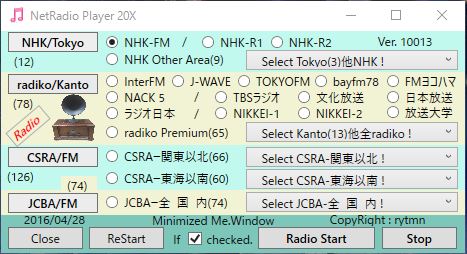 |
|
VBによる当初作品(21cmx4.5cm)を上記に変更(横21→13.5に縮小表示) |
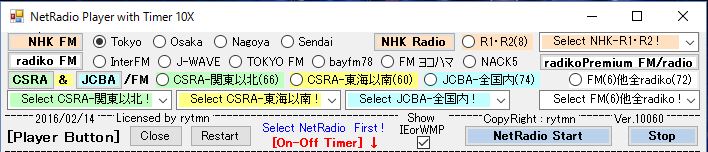 |
|
. |
|
FM/radio局すべて NHK:12局、radiko:78局、CSRA/JCBA:200局 計290局が聴けるPlayerが完成したが 結構大きな画面となっている。 画面がもっと小さくできないかと調べていたところ MDI(multiple-document
interface) を利用すれば 小さく出来そうなのでNetで調べたところ DOBON.NETプログラミング道 に参考になるTips(http://dobon.net/vb/dotnet/form/mdiapplication.html)が見つかった。 同Tipsは当方イメージと画面が異なるため試行錯誤の結果 下記画面の MDIアプリケーション が出来たので 参考のため 作成方法を公開する。 メニュー3項目(NHK,radiko、CSRA&JCBA)をクリックすると それぞれの 選局(RadioButtonやComboBox)と操作(Button)の画面が現れる。 |
|
MDI 試作画面 |
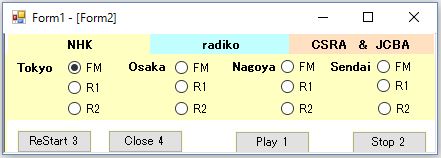 |
|
Form2開(初期画面) |
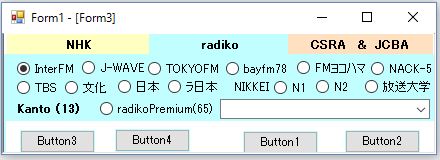 |
|
Form3開 |
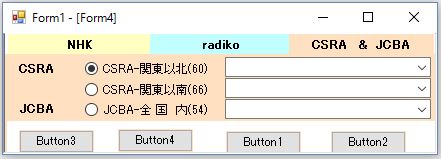 |
|
Form4開 |
|
. |
|
(1)親Form1の作成 と コード |
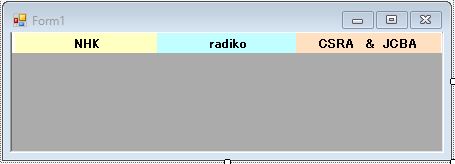 |
|
1. MDIの親となるフォーム(以下「親フォーム」)を作成するには、ファイル→新しいプロジェクトをCLしてForm1を作成し、 Form1のプロパティ内の IsMDIContainerプロパティ をTrueにする。 (画面が薄ネズミから濃ネズミに変わる。?) |
|
2. ツールボックスから Button を3個挿入して 上端に3分割になるように並べる。 ボタンの形状をプロハティのFlatStyle→Flatにして色を付ける。 |
|
3. メニュー3項目(NHK,radiko、CSRA&JCBA) となる Form2,3,4を ソリューションエクスプローラーの名称 を右CLして 追加→新しい項目CL→Windowsフォームを選択→追加CL して3個作る。 |
|
4. Buttonのプロパティ FlatAppearance→MouseOverBackColor を別色指定すると マウスが乗ると 別色となり 操作しやすい。 FlatAppearanceの BorderColor(線無しにする)とMouseDownBackColor はメニューと同色に設定する。 |
| |
Public Class Form1
Private Sub Form1_Load(ByVal sender As System.Object,
ByVal e As System.EventArgs) Handles MyBase.Load
'本画面を 左上 で開くための記述
Me.StartPosition =
System.Windows.Forms.FormStartPosition.
Manual
Me.Location = New
System.Drawing.Point(0, 0)
Dim Frm2 As New
Form2 'Form2(NHK)を初期画面とする
Frm2.MdiParent = Me ための記述
Frm2.Show()
End Sub
Private Sub Button1_Click(sender As Object, e
As EventArgs) Handles
Button1.Click
Dim Frm2 As New Form2
'Button1のCLでNHKが開く
Frm2.MdiParent = Me
'FormBorderStyleをNoneにする方法
'Me.FormBorderStyle =
FormBorderStyle.None
'境界線はそのままにタイトルバーを消す
'Frm2.ControlBox = False
'Frm2.Text = ""
'フォームの最大化ボタンの表示、非表示を切り替える
'Me.MaximizeBox = Not Me.MaximizeBox
'フォームの最小化ボタンの表示、非表示を切り替える
'Me.MinimizeBox = Not Me.MinimizeBox
'フォームのコントロールボックスの表示、非表示を切り替える
'コントロールボックスを非表示にすると最大化、最小化、閉じるボタンも消える
'Me.ControlBox = Not
Me.ControlBox
Frm2.Show()
End Sub
Private Sub Button2_Click(sender As Object, e
As EventArgs) Handles
Button2.Click
Dim Frm3 As New Form3
'Button2のCLでradikoが開く
Frm3.MdiParent = Me
Frm3.Show()
End Sub
Private Sub Button3_Click(sender As Object, e
As EventArgs) Handles
Button3.Click
Dim Frm4 As New Form4
'Button3のCLでSCRA&JCSA
Frm4.MdiParent = Me が開く
Frm4.Show()
End Sub
End Class |
|
|
|
. |
|
(2)子Form2の作成 と コード |
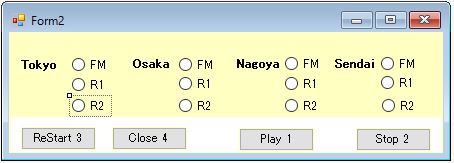 |
|
1. Form2(NHK) メニューのNHK色と同色にする。 |
|
2. 上部を メニューの高さだけ空け、下部に 操作ボタンの空間 を残して 選局の項目(RadioButton)を入れる、 |
|
3. 下部を Labelを使って白枠を入れて その上に 操作Buttonを4個(Play、Start、ReStart、Close)挿入する。 |
|
4. 親Form1から子Form2を開いた時に Form2の枠(コントロールボタン共)を非表示にするため 朱記3コード を入れる。 |
|
5. ここでは MDIアプリケーション 作成に関するプログラムのみとし、詳細プログラム は省略する。 |
| |
Public Class Form2
Private Sub Form2_Load(sender As Object, e As EventArgs)
Handles MyBase.Load
'FormBorderStyleをNoneにする方法
'Me.FormBorderStyle = FormBorderStyle.None
'境界線はそのままにタイトルバーを消す
'Frm2.ControlBox = False
'Frm2.Text = ""
'フォームの最大化ボタンの表示、非表示を切り替える
Me.MaximizeBox = Not Me.MaximizeBox
'フォームの最小化ボタンの表示、非表示を切り替える
Me.MinimizeBox = Not Me.MinimizeBox
'フォームのコントロールボックスの表示、非表示を切り替える
'コントロールボックスを非表示にすると最大化、最小化、閉じる
ボタンも消える
Me.ControlBox = Not
Me.ControlBox
End Sub
Private Sub
Button1_Click(sender As Object, e As EventArgs)
Handles
Button1.Click
End Sub
Private Sub
Button2_Click(sender As Object, e As EventArgs)
Handles
Button1.Click
End Sub
Private Sub
Button3_Click(sender As Object, e As EventArgs)
Handles
Button1.Click
End Sub
Private Sub
Button4_Click(sender As Object, e As EventArgs)
Handles
Button1.Click
End Sub
End Class |
|
|
|
(3)子Form3の作成 と コード |
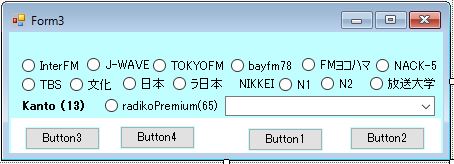 |
|
子Form2と同様に作成 |
| |
Public Class Form3
Private Sub
Form3_Load(sender As Object, e As EventArgs)
Handles
MyBase.Load
'FormBorderStyleをNoneにする方法
'Me.FormBorderStyle = FormBorderStyle.None
'境界線はそのままにタイトルバーを消す
'Frm2.ControlBox = False
'Frm2.Text = ""
'フォームの最大化ボタンの表示、非表示を切り替える
Me.MaximizeBox = Not Me.MaximizeBox
'フォームの最小化ボタンの表示、非表示を切り替える
Me.MinimizeBox = Not Me.MinimizeBox
'フォームのコントロールボックスの表示、非表示を切り替える
'コントロールボックスを非表示にすると最大化、最小化、閉じる
ボタンも消える
Me.ControlBox = Not
Me.ControlBox
End Sub
省略
End Class |
|
|
|
(4)子Form4の作成 と コード |
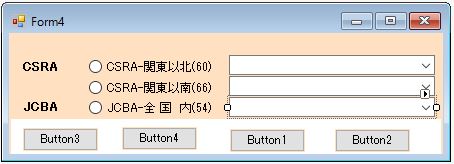 |
|
子Form2と同様に作成 |
| |
Public Class Form4
Private Sub Form4_Load(sender As Object, e As EventArgs)
Handles
MyBase.Load
'FormBorderStyleをNoneにする方法
'Me.FormBorderStyle = FormBorderStyle.None
'境界線はそのままにタイトルバーを消す
'Frm2.ControlBox = False
'Frm2.Text = ""
'フォームの最大化ボタンの表示、非表示を切り替える
Me.MaximizeBox = Not
Me.MaximizeBox
'フォームの最小化ボタンの表示、非表示を切り替える
Me.MinimizeBox =
Not Me.MinimizeBox
'フォームのコントロールボックスの表示、非表示を切り替える
'コントロールボックスを非表示にすると最大化、最小化、閉じる
ボタンも消える
Me.ControlBox = Not
Me.ControlBox
End Sub
省略
End Class |
|
|
|
(5)上記 画面、コード作成完了後 Visual
Study の「開始」ボタンをW-CLすると Forn2開(初期画面)となり MDIアプリケーション(3面対応) の完成となる |
|
. |
|
※ MDIアプリケーション採用の NetRadio Player 50 は一応完成、現在試用中。 |
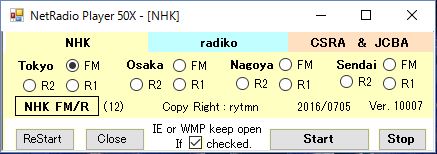 |
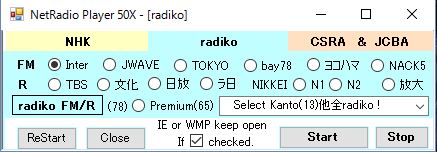 |
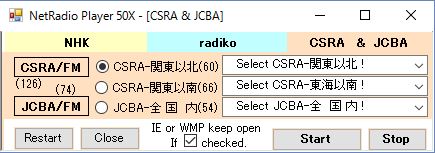 |
|
MDIアプリケーション採用の完成品 |
|
. |
|
12. File保存完了を検知する |
|
VS/VB2015(以下VB)にてProgramを作成、NetRadio(約300局)を開きSoundSoft:DigiOnSound5EをTimerControlにて操作して自動保存後Sleep又は休止しているが、保存完了の検知方法が分からなかったため実際の保存時間を計測して入力し、入力時間経過後 Sleep又は休止 するようにしていた。 しかしPC性能により保存時間も異なり、また計測手間がかかる。 保存完了の検知方法をNETをググって調べたが参考となるものが見つからず、自力でTryした結果、何とか目的が達成(?)されたと思うので ここにその結果を紹介する。 参考になれば幸いです。 |
| . |
|
|
(1)保存中がTempFile名の場合 |
|
DigiOnSound5Eの場合、保存は指定Folder内にTempFile名(Ei****)で保存が始まり、完了に伴いTempFile名は消失して自動入力File名となる。 TempFile名の前2文字(Ei)は常に変更ないので、これを常に監視しておいて、2文字が消滅した時が完了とするProgramを試みた結果、保存完了を待って Sleep又は休止 が可能になった。 |
| Form1 |
 |
| |
| 1)
Form1 の説明 |
|
・Form1に Timer1 & FolderBrowserDialog1 を配置 |
|
・Button1, Button2, TexstBox1 を配置 |
|
2)Program の説明 |
(c) TextBox1 に 保存先Folder を入力して、表示させておく。
(Programにて 保存先Folder情報 が必要なため) |
(a) DigiOnSound5Eの録画波形画面が表示されている状態で、
Testを行った。 |
|
・Button1 を click |
|
・DigiOnSound5E をActivateする。 |
・SaveFileDialogを開く。 自動入力File名が示されているの
で KeyCodeを送って これを確定する。 |
・File保存 と File上書き のKeyCodeを送って 保存 を
始める。 |
|
・保存開始後に直ぐ Timer1 を始動する。 |
(SendKeysの前後 には適当System.Threading.Thread.
Sleep() を入れて、休止時間(PC性能によるが1sec以
下)を調整する必要あり。) |
(b) 保存先Folder から 全File 拾い出し、TempFile前2文字
(Ei)の消失を監視し、消失をもって 保存完了 と判断す
る。 Timer1 により 1sec毎に 下記監視作業を行う。 |
|
・保存先Folder を TextBox1 から取得 |
|
・System.IO.DirectoryInfo にて保存Folder にAccess。 |
・System.IO.FileInfoにて *.wma拡張子付TempFile名 を取
得し、前2文字 を取る。 (wma のSoundFormatにて保
存の場合で、wav、mp3 では変更のこと。) |
・For -- Next 内にて(Ei)の消失 を監視し、消失した
ら 保存完と判断して QQQQ へ飛び、Beep音 を鳴らし
て 終了する。 Beep音の代わりに Sleep又は休止 の
動作をさせればよいことになる。 |
|
.-(a)---------------------------------------------------------
※ DigiOnSound5E
の 録音終了画面 が表示している状態にあるとする
Public
Class
Form1
Private
Sub
Button1_Click(sender
As
Object, e
As
EventArgs)
Handles
Button1.Click
Dim
ps
As
System.Diagnostics.Process()
=
System.Diagnostics.Process.GetProcessesByName("DoSound5E")
If
0 < ps.Length
Then
Microsoft.VisualBasic.Interaction.AppActivate(ps(0).Id)
End
If
'=====録音保存開始====
SendKeys.SendWait("^e")
'SaveFileDialog
を開く
SendKeys.SendWait("{ENTER}") 'File名 確定
SendKeys.SendWait("%s")
'File 保存
SendKeys.SendWait("y")
'上書き保存
'----------保存終了するまで 停止動作 を待たせる
Timer1.Interval = 1000
Timer1.Start()
End
Sub
-(b)--------------------------------------------------------
Private
Sub
Timer1_Tick(sender
As
Object,e
As
EventArgs)
Handles
Timer1.Tick
Dim
saveF
As
String
= TextBox1.Text
Dim
di
As
New
System.IO.DirectoryInfo(saveF)
Dim
files
As
System.IO.FileInfo()
= di.GetFiles("*.wma",
System.IO.SearchOption.AllDirectories)
For
Each
f
As
System.IO.FileInfo
In
files
Dim
tempNs
As
String
=
Strings.Left(f.Name,
2)
If
tempNs <>
"Ei"
Then
Timer1.Stop()
GoTo
QQQQ
Else
Return
End
If
Next
'=====録音保存完了====
QQQQ:
'-----------録音終了のビープ
System.Threading.Thread.Sleep(2000)
Console.Beep()
End
Sub
-(c)--------------------------------------------------------
Private
Sub
Button2_Click(sender
As
Object,
e
As
EventArgs)
Handles
Button2.Click
FolderBrowserDialog1.SelectedPath =
"C:\"
If
FolderBrowserDialog1.ShowDialog() =
DialogResult.OK
Then
TextBox1.Text =
FolderBrowserDialog1.SelectedPath
End
If
End
Sub
End
Class
|
| .. |
|
|
(2)保存中が正規File名の場合 |
| . |
無料AudioEditor:AudaCityを録音に採用した場合 保存Folderへ いきなり 正規File名 で保存される。 この場合は(1)の方法では 保存完了の検知 は不可のため File容量 の変化を検知して File容量の増加 が停止した時を 保存完了と判断 出来ないかと考え、試行する。 |
. |
| |
Form1 |
|
| |
 |
|
| |
 |
|
| |
|
1) Form1 の説明 |
|
・Form1に Timer1 & FolderBrowserDialog1 を配置 |
|
・Button1, Button2, TexstBox1 を配置 |
・設定に fName、sizeFbf を上記どうり記入(内部Data
記憶) |
|
2) Program の説明 |
(c) TextBox1 に 保存先Folder を入力して、表示させておく。
(Programにて 保存先Folder情報 が必要なため) |
(a) Audacityの録画波形画面が表示されている状態で、Testを
行った。 |
| ・Button1 を click |
|
・Audacity をActivateする。 |
・SaveFileDialogを開く。 File名が無いため auda+年月日
時分 の 作成File名 を入力し 設定:fName に記憶さ
せておく。 |
・File保存 と File上書き のKeyCodeを送って 保存 を
始める。 |
|
・保存開始後に直ぐ Timer1 を始動する。 |
(SendKeysの前後 には 適当System.Threading.Thread.
Sleep() を入れて、休止時間(PC性能によるが1sec以
下)を調整する必要あり。) |
(b) 保存Folder、作成File名、拡張子 から 保存FileのFullPath
を作成、System.IO.FileInfo にて 保存FileのFile容量 を
取得して内部記憶させ、内部記憶容量と2秒後のFile容量
の差がゼロとなった時を 保存完了と判断して QQQQ へ
飛び、Beep音 を鳴らして終了する。 |
|
・保存先Folder を TextBox1 から取得 |
・保存Folder、作成File名、拡張子 から 保存Fileの
FullPath を作成 |
・System.IO.FileInfo にて 保存FileのFile容量 を取得して
設定:sizeFbf に記憶させる。 |
|
・2秒後のFile容量:sizeFaf を取得 |
・2秒後のFile容量:sizeFafと記憶容量:sizeFbfとの差 を
計算する。 |
・差を判定 ゼロでなければ AAAA に戻り再計算、ゼロ
になったら QQQQ へ飛び、Beep音を鳴らして終了す
る。 Beep音の代わりに Sleep又は休止 の動作をさせ
ればよいことになる。 |
|
|
| |
-(a)---------------------------------------------------------
Public
Class
Form1
Private
Sub
Button1_Click(sender
As
Object,
e
As
EventArgs)
Handles
Button1.Click
Dim
ps
As
System.Diagnostics.Process()
=
System.Diagnostics.Process.GetProcessesByName("audacity")
If
0 < ps.Length
Then
Microsoft.VisualBasic.Interaction.AppActivate(ps(0).Id)
End
If
'=====録音保存開始====
SendKeys.SendWait("^+e")
'書き出し(E)を開く
'File名 を入れる**********************************
Dim
TTT, MFname
As
String
TTT = Format(Date.Now,
"yyMMddHHmm")
MFname =
"auda"
& TTT
TextBox2.Text = MFname
SendKeys.SendWait(MFname)
My.Settings.fName
= MFname
'File名 を入れる***********************************
SendKeys.SendWait("{ENTER}")
'ファイル保存
SendKeys.SendWait("y")
'上書き保存する
'メタデータの編集 をスキップして保存開始
SendKeys.SendWait("{ENTER}")
'ファイル保存
'----------保存終了するまで
Timer にて 停止動作 を待たせる
Me.Timer1.Interval
= 1000
Me.Timer1.Start()
End
Sub
-(b) -------------------------------------------------------
Private
Sub
Timer1_Tick(sender
As
Object,e
As
EventArgs) Handles
Timer1.Tick
AAAA:
Dim
saveF
As
String
=
TextBox1.Text
Dim
ffName
As
String
= saveF &
"\"
&
My.Settings.fName
&
".wma"
'File名の作成
Dim
tempF
As
New
System.IO.FileInfo(ffName)
Dim
sizeF
As
Long
= tempF.Length 'File容量の取得
My.Settings.sizeFbf
= sizeF 'File容量の記憶
System.Threading.Thread.Sleep(2000)
Dim
tempFaf
As
New
System.IO.FileInfo(ffName)
Dim
sizeFaf
As
Long
= tempFaf.Length '2秒後のFile容量の取得
Dim
TT
As
Long
TT = sizeFaf -
My.Settings.sizeFb '2秒前後のFile容量の差を計算
If
TT = 0
Then '差がゼロとなったら QQQQ へ飛ぶ
Timer1.Stop()
System.Threading.Thread.Sleep(0)
GoTo
QQQQ
Else
GoTo
AAAA '差がゼロでなければ AAAA へ戻る
End
If
'=====録音保存完了====
QQQQ:
'-----------録音終了のビープ
System.Threading.Thread.Sleep(5000)
Console.Beep()
End
Sub
-(c)--------------------------------------------------------
Private
Sub
Button2_Click(sender
As
Object,
e
As
EventArgs)
Handles
Button2.Click
FolderBrowserDialog1.SelectedPath
=
"C:\"
If
FolderBrowserDialog1.ShowDialog() =
DialogResult.OK
Then
TextBox1.Text=
FolderBrowserDialog1.SelectedPath
End
If
End
Sub
End
Class
|
|
|
|
|
|
|
|
|
.. |
|
. |
|
[A] SHORT PROGRAM [B] TIPS COLLECTION
|
|
TOP
PAGE CEMENT
ENGINEERING EXCEL VBA
.NET VB
SCHTASKS/WSH |
|
NOW CONSTRUCTING |